
Best AI Automation Tools for Beginners in 2026
Artificial intelligence is changing how people work, manage businesses, and complete everyday tasks. Activities that once required hours of manual effort can now be automated using AI-powered software. From organizing emails and creating content to managing customer inquiries and connecting business applications, AI automation tools help people work more efficiently.
The best part is that you do not need programming skills or technical experience to get started. Many platforms now offer visual builders, pre-designed templates, and simple interfaces that allow beginners to automate tasks without writing code.
Whether you are a student, freelancer, content creator, entrepreneur, or small business owner, the right automation software can help you save time and focus on more important work.
In this guide, we explore the best AI automation tools for beginners in 2026, their key features, benefits, and practical use cases.
Table of Contents
What Are AI Automation Tools?
AI automation tools are software applications that use artificial intelligence, predefined rules, or both to perform tasks with less manual intervention.
Traditional automation typically follows fixed instructions. AI-powered automation can also help interpret text, summarize information, classify messages, generate content, and support decisions within an automated workflow.
For example, imagine receiving a customer inquiry through your website. An automation system could identify the type of inquiry, summarize the message, add the customer’s details to a spreadsheet or CRM, and notify the appropriate team member.
Depending on the software and configuration, these tasks can happen automatically after the initial setup.
Common applications of AI automation include:
- Automating repetitive administrative tasks.
- Organizing emails and managing notifications.
- Generating and summarizing content.
- Connecting different business applications.
- Managing leads and customer information.
- Creating reports and processing documents.
- Supporting customer service workflows.
- Improving team collaboration and productivity.
These capabilities make automation useful for individuals and businesses looking to simplify everyday work.
Best AI Automation Tools for Beginners in 2026
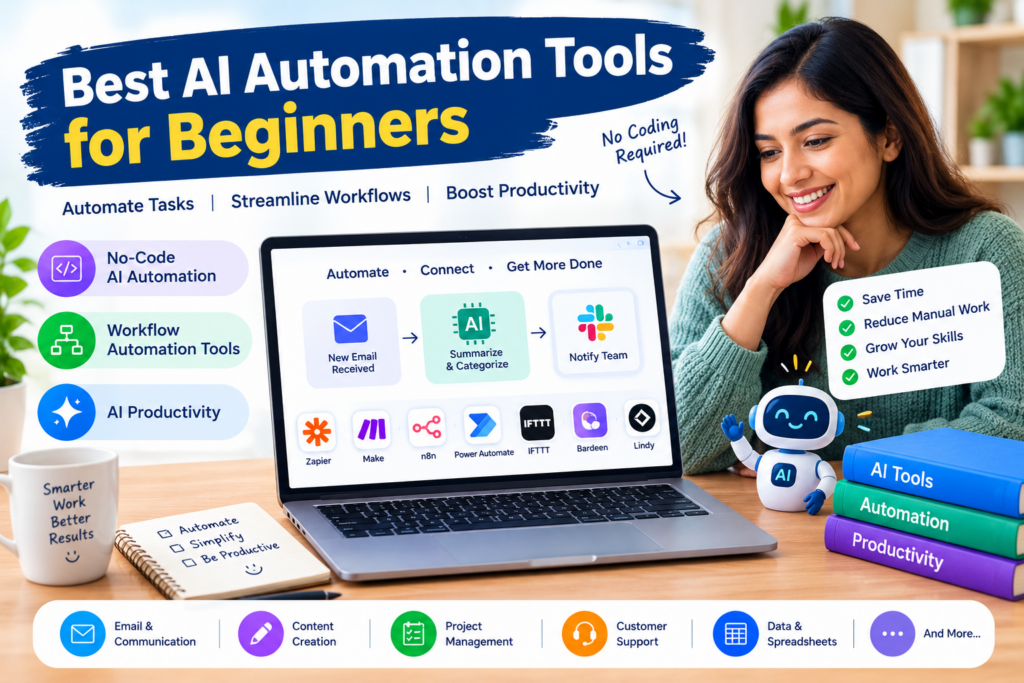
Here are some popular AI automation platforms that beginners can explore to improve their workflows.
1. Zapier
Zapier is a widely used automation platform that connects different applications and allows users to create automated workflows without traditional programming.
Its visual workflow builder makes it possible to connect apps and define what should happen when a particular event occurs.
For example, you could create a workflow that adds a new form submission to a spreadsheet and sends a notification to your team.
Zapier also supports AI-related workflows and integrations, helping users incorporate AI into existing business processes.
Key Features:
- Connect thousands of supported applications.
- Create automated workflows using triggers and actions.
- Explore AI-powered automation capabilities.
- Use templates to get started quickly.
- Automate repetitive tasks across connected apps.
Best For: Beginners, freelancers, marketers, and small business owners.
Free Plan: A free plan is available with usage and feature limitations that depend on the current offering.
2. Make
Make is a visual automation platform that helps users connect applications and build workflows through a graphical interface.
Its visual scenario builder allows users to see how information moves between applications. This can be particularly helpful when creating workflows with multiple steps.
For example, a business might use Make to collect customer information, process it through an AI service, and send the results to another application.
Although the interface offers substantial flexibility, beginners may need some time to understand its more advanced features.
Key Features:
- Visual workflow and scenario builder.
- Integrations with supported applications and services.
- Conditional logic and data processing.
- AI-powered workflow possibilities.
- Templates for common automation tasks.
Best For: Users who want visual control over multi-step workflows.
Free Plan: A free plan is available with usage limits.
3. n8n
n8n is a workflow automation platform designed for connecting applications, APIs, and AI services.
It provides a visual interface for building workflows while offering additional flexibility for users who want to customize their automations.
Beginners can explore existing templates and gradually learn how to connect different services. More advanced workflows may require familiarity with APIs, data structures, or basic programming concepts.
n8n can be particularly useful for people interested in building AI agents and more customized automation systems.
Key Features:
- Visual workflow builder.
- Integrations with APIs and supported applications.
- AI workflow and agent-building capabilities.
- Customizable workflow logic.
- Self-hosting options, depending on the deployment method.
Best For: Curious beginners, technical freelancers, developers, and users who want greater control over automation.
Free Plan: Options include a self-hosted community edition and paid cloud services. Self-hosting may require technical setup.
4. Microsoft Power Automate
Microsoft Power Automate helps users automate repetitive tasks across supported applications and services.
It can be particularly useful for people who already work with Microsoft 365 products and want to simplify their everyday workflows.
For example, you could create an automation that saves email attachments to cloud storage, sends notifications, or updates information when a particular event occurs.
Some capabilities also support AI-assisted document processing and business process automation.
Key Features:
- Automated workflows across supported applications.
- Integration with Microsoft services.
- Desktop automation capabilities.
- Templates for common business processes.
- AI-related features available through supported products and plans.
Best For: Office workers, administrative teams, and businesses using Microsoft products.
Free Plan: Availability depends on the specific service, licensing arrangement, and account. Some features require a paid plan.
5. IFTTT
IFTTT, short for “If This Then That,” is an automation service designed to connect different apps, devices, and online services.
Its basic concept is straightforward: when one event occurs, another action follows.
For example, you might use an automation to save selected online content, synchronize supported services, or trigger a smart-home action.
IFTTT is especially approachable for users who want to experiment with simple automations before building more complicated workflows.
Key Features:
- Simple trigger-and-action automations.
- Connections between supported apps and devices.
- Pre-built automation templates.
- Personal productivity and smart-home workflows.
- Easy setup for basic use cases.
Best For: Beginners, individual users, and people who want to automate simple daily activities.
Free Plan: A free option is available, with limits on features and the number of automations.
6. Bardeen
Bardeen focuses on browser-based automation and helps users streamline repetitive online tasks.
It can be useful for activities such as collecting information from supported web sources, transferring data between applications, and reducing repetitive browser work.
For example, a sales professional might use automation to organize prospect information or simplify parts of a lead research workflow.
The available capabilities depend on the applications, permissions, and automation features supported by the platform.
Key Features:
- Browser-focused automation.
- Pre-built automation workflows.
- Support for repetitive online tasks.
- Integrations with supported business applications.
- AI-assisted features for selected workflows.
Best For: Sales professionals, recruiters, researchers, and people who spend significant time working in browser-based applications.
Free Plan: Availability and usage limits depend on the current pricing and feature offering.
7. Lindy
Lindy is an AI assistant and automation platform focused on delegating tasks to AI-powered assistants.
Depending on the available integrations and configuration, users can explore workflows involving meeting preparation, email handling, information organization, and other administrative activities.
Instead of manually carrying out every step, users can configure an assistant to handle supported tasks according to instructions and rules.
Beginners should start with straightforward, low-risk workflows before allowing an AI assistant to take actions that affect customers or business records.
Key Features:
- AI assistant and agent workflows.
- Automation for selected administrative tasks.
- Integrations with supported applications.
- Assistance with email and meeting-related workflows.
- Configurable instructions and actions.
Best For: Entrepreneurs, professionals, and small teams looking to delegate repetitive administrative work.
Free Plan: Trial or limited access may be available, depending on the current offering.
Comparison of the Best AI Automation Tools
The following table summarizes the main strengths of these tools and the types of users they may suit.
| Tool | Best For | Main Advantage | Beginner-Friendly |
|---|---|---|---|
| Zapier | App-to-app automation | Broad application connectivity | Yes |
| Make | Multi-step workflows | Visual workflow building | Yes, with some learning |
| n8n | Custom AI workflows | Flexibility and customization | Best for technically curious users |
| Microsoft Power Automate | Office automation | Microsoft ecosystem integration | Yes |
| IFTTT | Simple daily automations | Straightforward trigger-and-action setup | Yes |
| Bardeen | Browser automation | Reducing repetitive online tasks | Yes, for supported workflows |
| Lindy | AI assistants | Delegating selected tasks to AI | Yes, with sensible safeguards |
Note: Free plans, integrations, AI features, and usage limits can change. Check each provider’s current offering before choosing a platform.
Benefits of No-Code AI Automation
No-code AI automation allows people to build automated workflows using visual interfaces and configuration tools rather than writing traditional code.
This makes automation more accessible to people who do not have a technical background.
Here are some of its biggest benefits.
1. Save Time on Repetitive Tasks
Many everyday activities follow predictable patterns. Examples include copying information between applications, sending notifications, organizing records, and preparing routine reports.
Automating these tasks can reduce manual work and give you more time for planning, problem-solving, and creative activities.
2. Reduce Manual Errors
Manually transferring information between systems can lead to missing details, inconsistent records, and duplicated entries.
A properly configured workflow can help standardize these processes. However, automation should still be monitored to identify incorrect data or unexpected results.
3. Improve AI Productivity
AI productivity tools can help users summarize information, generate drafts, classify incoming messages, and extract key details from documents.
When these capabilities are combined with workflow automation tools, it becomes possible to build processes that move information between applications and perform selected actions automatically.
For example, an AI system might summarize a customer inquiry before sending the summary to a support team.
4. Reduce Operating Costs
Small businesses often have limited time and resources. Automating repetitive administrative work can help teams handle routine processes without increasing manual workload.
The actual savings depend on setup time, subscription fees, usage charges, and the amount of work being automated.
5. Make Advanced Technology More Accessible
No-code platforms provide visual builders and ready-made templates that reduce the technical barriers to automation.
Beginners can start with simple workflows and gradually explore more advanced features as their needs develop.
Practical AI Automation Ideas for Beginners
You do not need to automate your entire business to see useful results. Starting with one repetitive task is often the best approach.
Here are several beginner-friendly ideas.
1. Automate Email Notifications
Create a workflow that sends a notification when an important form is submitted or a particular event occurs.
This can help you respond faster without constantly checking multiple applications.
2. Organize Leads Automatically
Connect a website form to a spreadsheet or customer relationship management system.
When someone submits their details, the workflow can store the information and notify the appropriate person.
3. Summarize Meeting Notes
Use an AI tool to summarize meeting transcripts or notes and extract key action items.
If supported by your applications, you can connect the summary to a task manager or collaboration platform.
Always review summaries before sharing them, especially when they contain important decisions.
4. Simplify Content Creation
Content creators can combine AI writing tools with automation platforms to organize topic ideas, prepare draft briefs, and move approved content into a publishing workflow.
Human review remains important for accuracy, originality, and brand consistency.
5. Automate File Management
Build a workflow that organizes files or sends notifications when new documents arrive in a supported folder.
For example, a team might automatically notify its members when a new project document is uploaded.
6. Create Customer Support Workflows
An AI-enabled workflow can categorize incoming support messages, summarize customer concerns, and route inquiries to the appropriate team.
For sensitive or complicated requests, human review should remain part of the process.
How to Choose the Right AI Automation Tool
Choosing the right platform depends on your goals, budget, technical comfort, and existing software.
Consider the following factors before getting started.
1. Ease of Use
Look for a tool with a clear interface, helpful documentation, and ready-made templates.
If you have never built an automation before, a simple trigger-and-action workflow is a good starting point.
2. App Integrations
Check whether the platform supports the applications you already use, such as email, spreadsheets, calendars, project management software, or customer databases.
An automation platform is most useful when it connects the systems involved in your actual workflow.
3. AI Capabilities
Decide whether you need AI for generating content, summarizing documents, classifying messages, or extracting information.
Some workflows require only traditional automation, while others benefit from adding AI to selected steps.
4. Pricing and Usage Limits
Compare the free plan, monthly subscription cost, task limits, and any additional charges for AI usage.
A free plan may be sufficient for personal tasks, while businesses with frequent or complex workflows may need a paid option.
5. Security and Privacy
Review the platform’s data policies before connecting business accounts or sharing sensitive information.
Use the minimum permissions necessary, and avoid allowing an AI workflow to send messages, delete files, or modify important records without appropriate safeguards.
6. Scalability
Consider whether the tool can support more workflows as your needs grow.
A simple platform may be ideal at first, while a more flexible system may become useful when you need complex logic, custom integrations, or AI agents.
Common Mistakes Beginners Should Avoid
AI automation can be powerful, but starting with the wrong approach can create unnecessary complexity.
Avoid these common mistakes:
- Automating everything at once: Begin with one repetitive task and expand gradually.
- Choosing a tool without checking integrations: Confirm that your existing applications are supported.
- Ignoring errors: Test workflows and monitor their results.
- Overlooking costs: Review task limits and subscription requirements before scaling.
- Giving AI too much control: Require human approval for sensitive or irreversible actions.
- Skipping documentation: Record how each workflow operates so you can troubleshoot it later.
- Ignoring data privacy: Understand what information the platform processes and where it may be stored.
A thoughtful approach will help you build reliable workflows without creating unnecessary risks.
Frequently Asked Questions (FAQs)
1. What are the best AI automation tools for beginners?
Zapier, Make, IFTTT, and Microsoft Power Automate are useful starting points for different types of automation. n8n is worth exploring if you want greater flexibility and are comfortable learning more technical concepts.
2. Can beginners use AI automation without coding?
Yes. Many platforms offer no-code AI automation through visual workflow builders, templates, and preconfigured integrations.
However, advanced workflows may require basic knowledge of APIs, data formats, or programming.
3. Are AI automation tools free?
Some platforms offer free plans or limited free usage. These plans often restrict the number of tasks, workflows, integrations, or advanced features you can access.
Review the current pricing before relying on a free plan for important business processes.
4. What is the difference between AI automation and traditional automation?
Traditional automation typically follows predefined rules and instructions.
AI automation can also use AI models to interpret information, summarize text, classify data, or generate responses. Many real-world systems combine both approaches.
5. Which automation tool is best for small businesses?
Zapier and Make are useful for connecting applications and automating business workflows. Microsoft Power Automate may be a good fit for organizations that already rely on Microsoft products.
The best choice depends on the applications you use, the complexity of your workflows, and your budget.
6. How can AI automation improve productivity?
AI automation can reduce repetitive manual work, speed up information processing, and help organize business processes.
These improvements can free up time for more valuable tasks, although results depend on the quality of the workflow and how effectively it is managed.
7. What is no-code AI automation?
No-code AI automation involves building workflows that combine applications, predefined actions, and AI capabilities without requiring traditional programming.
It allows beginners to automate tasks through visual tools and configuration settings.
Conclusion
The best AI automation tools for beginners in 2026 make it easier to reduce repetitive work, connect applications, and improve everyday productivity.
Zapier is a strong starting point for connecting popular apps, Make provides a visual approach to multi-step workflows, IFTTT simplifies basic personal automations, and Microsoft Power Automate is useful for many Microsoft-based business processes. n8n and Lindy are worth exploring for users interested in more customizable AI-powered workflows and assistants.
The key is to start small. Identify one task that consumes too much time, choose an appropriate tool, and create a simple workflow that solves the problem.
As you become more comfortable with automation, you can gradually connect more applications and introduce AI where it provides genuine value.
By combining no-code AI automation, reliable workflow automation tools, and practical AI productivity solutions, beginners can build smarter working habits and spend less time on repetitive tasks.



Pingback: Best AI Visibility Tools for Fintech Companies in 2026 - Techgrav