Introduction to SaaS Tools
Business productivity is essential for companies that want to save time, reduce operational costs, and achieve sustainable growth. However, managing projects, communicating with employees, organizing documents, tracking sales, and handling repetitive tasks can consume valuable time.
This is where SaaS tools to improve business productivity can make a difference.
Software as a Service (SaaS) allows businesses to access applications over the internet without maintaining all the underlying software infrastructure themselves. Most SaaS platforms offer cloud-based access, subscription plans, and integrations with other business applications.
In 2026, businesses can choose from a wide range of SaaS productivity software to simplify daily operations. These tools help teams manage projects, automate workflows, collaborate remotely, organize customer information, and use artificial intelligence to work more efficiently.
Whether you operate a startup, small business, agency, or established company, the right tools can help your team accomplish more with less manual effort.
In this article, we explore the top 10 SaaS tools to improve business productivity in 2026, including their key features, advantages, limitations, and ideal use cases.
Table of Contents
What Are SaaS Productivity Tools?
SaaS productivity tools are cloud-based applications designed to help businesses complete tasks more efficiently. Instead of installing and maintaining every application on local computers, users generally access these tools through a web browser or dedicated app.
Common examples include project management platforms, team communication software, cloud storage services, customer relationship management systems, and workflow automation applications.
Benefits of SaaS Productivity Software
Businesses can benefit from SaaS tools in several ways:
- Better collaboration: Teams can share information and work together from different locations.
- Time savings: Automation reduces repetitive manual tasks.
- Centralized information: Employees can access relevant documents, tasks, and project updates in one place.
- Scalability: Companies can adjust their subscriptions as their needs change.
- Improved organization: Task management and scheduling features help teams prioritize work.
- AI-powered assistance: Some tools help users summarize information, draft content, and automate routine activities.
- Integration capabilities: Connecting applications can reduce duplicate data entry and disconnected workflows.
The benefits depend on selecting tools that fit your business processes and implementing them properly.
Top 10 SaaS Tools to Improve Business Productivity in 2026
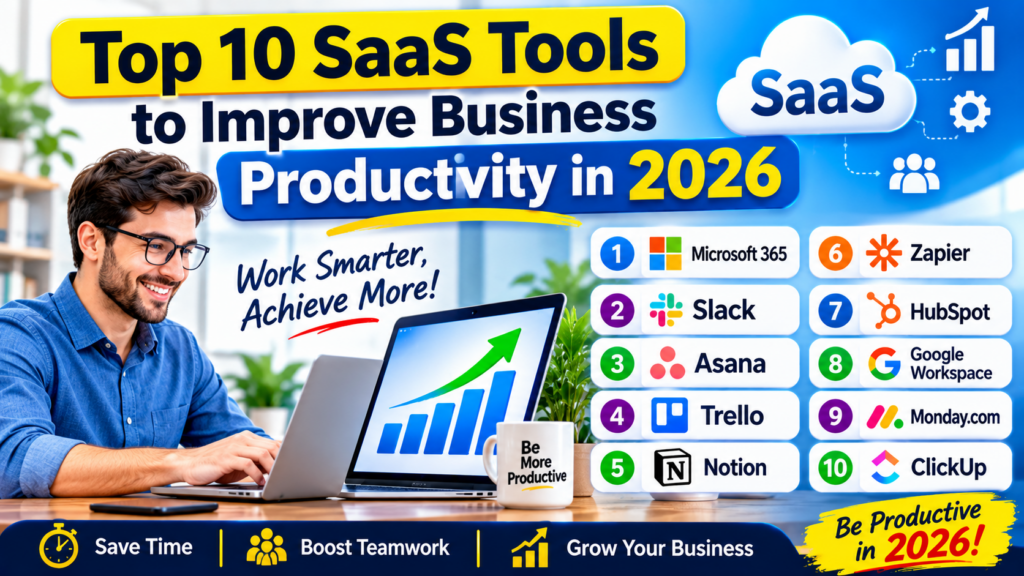
1. Microsoft 365 — Best for Business Productivity and Office Work
Microsoft 365 is a popular productivity platform that combines familiar office applications with cloud-based collaboration and communication features.
Businesses can use Word for documents, Excel for spreadsheets, PowerPoint for presentations, Outlook for email, and Teams for meetings and collaboration. Depending on the subscription, organizations can also access additional security, administration, storage, and AI-powered features.
Microsoft 365 is particularly useful for businesses that rely heavily on spreadsheets, reports, presentations, and professional communication.
Key Features:
- Document creation and editing.
- Spreadsheet analysis and reporting.
- Presentation development.
- Business email and calendars.
- Team meetings and collaboration.
- Cloud storage and file sharing.
- Integration with supported Microsoft business applications.
Pros:
- Offers a broad collection of productivity applications.
- Supports collaboration across teams.
- Useful for businesses of different sizes.
- Provides familiar tools for everyday office work.
Cons:
- Some advanced features require higher-tier subscriptions.
- Organizations may need training to use the full platform.
- Licensing costs can increase as the team grows.
Best For: Small businesses, corporate teams, consultants, and organizations that rely on documents, spreadsheets, and presentations.
2. Slack — Best for Team Communication
Slack is a workplace messaging platform that helps teams communicate through organized channels, direct messages, file sharing, and integrations.
Instead of relying entirely on long email conversations, businesses can create dedicated channels for projects, departments, customers, and company announcements.
Slack can also connect with project management, development, storage, and productivity applications, allowing employees to receive updates without switching between multiple platforms.
Key Features:
- Organized team channels.
- Direct and group messaging.
- File sharing.
- Searchable conversation history, subject to plan limits.
- App integrations and workflow capabilities.
- Huddles and other communication features.
Pros:
- Helps organize workplace conversations.
- Supports remote and hybrid teams.
- Integrates with many business applications.
- Reduces the need for some internal email exchanges.
Cons:
- Excessive notifications can become distracting.
- Important information may get buried in conversations.
- Some features and usage allowances depend on the plan.
Best For: Remote teams, technology companies, marketing agencies, and businesses that need frequent team communication.
3. Asana — Best for Project and Task Management
Asana is a project management platform that helps teams plan work, assign responsibilities, set deadlines, and monitor progress.
Managers can organize projects into tasks and subtasks, assign owners, and create workflows that make responsibilities clearer. Different project views can help teams understand what needs attention and when work is due.
Asana is particularly valuable when several employees contribute to the same project and need a shared view of progress.
Key Features:
- Task and project management.
- Deadline and responsibility tracking.
- Project timelines and calendar views.
- Workflow automation options.
- Team dashboards and reporting.
- Integrations with other productivity applications.
Pros:
- Makes task ownership more visible.
- Helps teams coordinate complex projects.
- Provides structured project organization.
- Supports progress tracking.
Cons:
- Some advanced features require paid plans.
- Large projects may require careful setup.
- Teams need to maintain tasks consistently for accurate reporting.
Best For: Marketing teams, agencies, operations departments, and businesses managing multiple projects.
4. Trello — Best for Simple Task Management
Trello is a visual task management tool based on boards, lists, and cards. It is especially useful for businesses that want a simple way to organize work without introducing a complicated project management system.
For example, a marketing team can create lists such as “Ideas,” “In Progress,” “Under Review,” and “Published.” Each card can represent a task with its own description, deadline, checklist, and assigned team members.
This visual approach makes it easy to understand the status of work at a glance.
Key Features:
- Visual boards and task cards.
- Custom lists and checklists.
- Task assignments and due dates.
- File attachments.
- Automation through supported features.
- Integrations with selected business applications.
Pros:
- Easy for beginners to understand.
- Useful for tracking everyday tasks.
- Flexible for different business workflows.
- Offers a visual overview of progress.
Cons:
- Complex projects may require additional structure.
- Advanced reporting may be limited compared with specialized platforms.
- Too many boards can make information harder to manage.
Best For: Freelancers, startups, small teams, content creators, and businesses with straightforward workflows.
5. Notion — Best for Documentation and Knowledge Management
Notion combines notes, documents, databases, project organization, and team knowledge management in a flexible workspace.
Businesses can use it to create standard operating procedures, meeting notes, employee handbooks, project trackers, editorial calendars, and internal knowledge bases.
Its flexible structure allows companies to design workspaces around their own processes. AI capabilities are available in certain plans and offerings, subject to current access and usage limits.
Key Features:
- Shared documents and notes.
- Knowledge bases and internal wikis.
- Customizable databases.
- Project and task tracking.
- Templates for recurring workflows.
- AI-assisted writing and information handling in supported offerings.
Pros:
- Combines several organizational functions.
- Flexible workspace customization.
- Useful for documenting company processes.
- Helps centralize internal knowledge.
Cons:
- Initial workspace setup can take time.
- Poor organization can make information difficult to find.
- Some AI and advanced collaboration features may require paid access.
Best For: Startups, small businesses, content teams, consultants, and companies that need a central knowledge hub.
6. Zapier — Best for Business Workflow Automation
Zapier is a workflow automation platform that connects supported applications and automates tasks between them.
For example, a business can create a workflow that sends a notification when a new lead enters a spreadsheet, adds a task when a form is submitted, or transfers information between connected business systems.
These automated workflows can reduce repetitive work and help employees focus on higher-value activities.
Key Features:
- Connects supported applications.
- Automates repetitive business tasks.
- Triggers actions when defined events occur.
- Supports multi-step workflows on eligible plans.
- Offers automation templates.
- Provides AI-related automation capabilities in supported workflows.
Pros:
- Reduces manual data entry.
- Connects applications that may not share a direct integration.
- Helps standardize repetitive processes.
- Useful for teams without dedicated development resources.
Cons:
- Advanced workflows can require paid plans.
- Task-based usage limits may affect costs.
- Poorly configured automations can move incorrect data or trigger unwanted actions.
Best For: Small businesses, sales teams, marketing departments, and operations professionals who want to automate repetitive tasks.
7. HubSpot — Best for Sales and Customer Relationship Management
HubSpot provides business software for customer relationship management, marketing, sales, customer service, and related activities.
Its CRM capabilities help businesses organize contacts, track deals, record customer interactions, and monitor sales pipelines. Additional tools can support email marketing, lead management, customer support, and reporting.
By keeping customer information organized, businesses can reduce the time spent updating separate spreadsheets and searching for customer details.
Key Features:
- Contact and company management.
- Sales pipeline tracking.
- Deal and activity management.
- Marketing and email tools.
- Customer service features.
- Reporting and analytics.
- Integrations with business applications.
Pros:
- Centralizes customer information.
- Helps teams track sales opportunities.
- Supports coordination between sales and marketing.
- Offers entry-level access to selected CRM features.
Cons:
- Advanced features can become expensive.
- Some capabilities require additional products or subscriptions.
- Proper configuration is important for reliable data.
Best For: Small and medium-sized businesses, sales teams, marketing agencies, and companies focused on customer growth.
8. Google Workspace — Best for Cloud-Based Collaboration
Google Workspace provides cloud-based productivity applications, including Gmail, Google Drive, Google Docs, Google Sheets, Google Slides, and Google Meet.
These tools allow employees to create documents, collaborate on spreadsheets, share files, schedule meetings, and communicate with colleagues.
Because multiple users can work on supported files simultaneously, teams can reduce the need to send different document versions through email.
Key Features:
- Business email.
- Cloud storage and file sharing.
- Collaborative documents and spreadsheets.
- Online presentations.
- Video meetings and calendars.
- Administrative and security controls.
- AI-powered capabilities in eligible plans.
Pros:
- Convenient for distributed teams.
- Supports real-time collaboration.
- Works across many devices.
- Integrates productivity and communication features.
Cons:
- Business features and storage depend on the subscription.
- Some organizations may prefer desktop-based workflows.
- Access controls need careful management when sharing files externally.
Best For: Startups, remote teams, educational organizations, and small businesses that prefer browser-based collaboration.
9. Monday.com — Best for Workflow and Team Management
Monday.com is a work management platform that helps businesses organize projects, track responsibilities, and create customized workflows.
Teams can use boards to manage projects, sales activities, content calendars, operational tasks, and other recurring processes.
Its visual dashboards and automation capabilities can help managers understand progress and reduce the effort required to update project information manually.
Key Features:
- Customizable work boards.
- Project and task tracking.
- Timeline and calendar views.
- Workflow automation.
- Dashboards and reporting.
- Integrations with supported applications.
Pros:
- Flexible for different departments.
- Provides visual workflow tracking.
- Helps standardize recurring processes.
- Supports team coordination and reporting.
Cons:
- Advanced features may require higher-tier subscriptions.
- Customization can take time.
- Costs can increase as more users and capabilities are added.
Best For: Project managers, operations teams, agencies, and growing businesses with several ongoing workflows.
10. ClickUp — Best All-in-One Productivity Management
ClickUp combines task management, project planning, documentation, goals, and other productivity features in one platform.
Businesses can use it to manage daily assignments, plan larger projects, create internal documentation, track deadlines, and organize team responsibilities.
Its wide range of customization options makes it appealing to companies that want to consolidate several work management activities in one workspace.
Key Features:
- Tasks and subtasks.
- Project views and dashboards.
- Documents and knowledge management.
- Goals and progress tracking.
- Workflow automation.
- AI-assisted capabilities in supported plans.
Pros:
- Combines multiple productivity functions.
- Offers extensive customization.
- Supports different project management styles.
- Can help centralize team activities.
Cons:
- The large number of features may overwhelm new users.
- Teams may need time to configure the workspace.
- Some advanced features require paid access.
Best For: Startups, agencies, product teams, and businesses looking for a customizable work management platform.
Comparison Table: Best SaaS Productivity Tools in 2026
| SaaS Tool | Main Purpose | Best For | Free Access |
|---|---|---|---|
| Microsoft 365 | Office productivity | Documents, spreadsheets, presentations | Depends on the product and plan |
| Slack | Team communication | Remote and hybrid teams | Limited free option available |
| Asana | Project management | Coordinating projects and deadlines | Free entry-level plan available |
| Trello | Visual task management | Simple team workflows | Free entry-level plan available |
| Notion | Documentation and knowledge management | Internal wikis and shared workspaces | Free entry-level plan available |
| Zapier | Workflow automation | Connecting business applications | Free plan with limits |
| HubSpot | CRM and sales management | Customer relationships and pipelines | Free CRM tools available |
| Google Workspace | Cloud collaboration | Documents, email, and file sharing | Some individual services are free; business plans are paid |
| Monday.com | Work management | Custom workflows and team planning | Trial or limited access may be available |
| ClickUp | All-in-one work management | Projects, tasks, and documentation | Free entry-level plan available |
Pricing, trial availability, and free-plan limits can change. Check each provider’s current offering before making a purchasing decision.
How to Choose the Right SaaS Productivity Tools for Your Business
With so many options available, selecting the right SaaS productivity software can be challenging. The best choice depends on your company’s size, budget, existing applications, and daily operations.
1. Identify Your Biggest Productivity Challenges
Before purchasing software, determine where your team loses the most time.
For example:
- If employees struggle with communication, consider a team messaging platform.
- If deadlines are frequently missed, evaluate a project management tool.
- If staff repeatedly copy information between applications, explore workflow automation.
- If customer details are scattered across spreadsheets, consider a CRM.
- If documents are difficult to locate, implement a shared knowledge base.
Start with a specific business problem rather than adopting software simply because it is popular.
2. Compare Pricing and Subscription Plans
SaaS providers commonly offer several subscription tiers. A free plan may be sufficient for an individual or small team, while a growing business may require advanced administration, reporting, automation, storage, or security features.
When comparing costs, consider the total expense of the subscription, additional users, optional features, and integrations.
3. Check Integrations
Your productivity tools should work with the applications your team already uses.
For example, a project management platform that integrates with your communication and document tools can reduce unnecessary switching between applications.
Review supported integrations before committing to a platform.
4. Evaluate Security and Access Controls
Businesses should review data handling, access permissions, authentication options, retention settings, and administrative controls.
This is especially important when software contains customer information, financial records, employee details, or confidential company documents.
Select tools that meet your organization’s security requirements and applicable regulatory obligations.
5. Test the Software Before a Full Rollout
Where possible, use a free plan, trial, or small pilot project to evaluate a tool.
Ask a small group of employees to test it and provide feedback. Measure whether it improves task completion, reduces manual work, or makes collaboration easier.
Choose tools that employees can use consistently without creating unnecessary complexity.
How SaaS Tools and AI Can Improve Business Productivity
Artificial intelligence is becoming an important feature of many productivity platforms. Depending on the tool, AI can help employees draft documents, summarize meetings, organize information, generate reports, and automate selected workflows.
For example, a sales team might use AI assistance to summarize customer conversations, while a marketing team could use it to brainstorm campaign ideas or prepare initial content drafts.
However, AI features differ across products and subscription plans. They may also produce inaccurate information, so important outputs should be reviewed before use.
Practical Ways to Use AI Productivity Features
- Automate repetitive work: Connect applications to reduce manual data transfers.
- Summarize information: Turn lengthy notes or discussions into concise summaries.
- Improve communication: Draft routine emails and internal announcements.
- Organize projects: Use supported features to categorize tasks and identify priorities.
- Prepare reports: Help structure information for analysis and presentation.
- Support customer service: Assist staff with response drafts and knowledge retrieval.
The goal is not to automate every activity. Instead, use AI where it saves meaningful time while maintaining accuracy, security, and human oversight.
Common Mistakes to Avoid When Using SaaS Tools
Even powerful productivity software can fail to deliver value if it is implemented poorly.
Using Too Many Applications
Adopting several tools that perform the same function can create confusion and increase subscription costs. Review your current software before adding another platform.
Ignoring Employee Training
Employees need to understand how a tool fits into their daily work. Provide basic training, document processes, and establish clear guidelines.
Automating Inefficient Processes
Automation can make a poor workflow faster without making it better. Simplify the process before automating it.
Overlooking Subscription Costs
A low-cost plan may become more expensive when additional users, storage, integrations, or advanced features are required. Review expected growth before choosing a subscription.
Failing to Measure Results
Do not assume a tool improves productivity simply because your business has adopted it. Track meaningful measures such as task completion time, project delays, manual errors, and employee adoption.
Frequently Asked Questions (FAQs)
1. What are the best SaaS tools to improve business productivity in 2026?
Some leading options include Microsoft 365, Google Workspace, Slack, Asana, Trello, Notion, Zapier, HubSpot, Monday.com, and ClickUp. The best choice depends on whether your business needs communication, project management, automation, CRM, or document collaboration.
2. Are SaaS productivity tools suitable for small businesses?
Yes. SaaS productivity tools can help small businesses organize tasks, communicate with employees, manage customer information, and automate repetitive work without maintaining extensive software infrastructure.
Many providers offer entry-level plans, trials, or free access to selected features.
3. What is the difference between SaaS and traditional software?
Traditional software may require local installation and organization-managed maintenance, depending on the product. SaaS applications are generally accessed online and maintained by the provider, although some also offer desktop or offline functionality.
SaaS subscriptions commonly include ongoing updates and cloud-based services.
4. Which SaaS tools are best for team collaboration?
Microsoft 365 and Google Workspace are useful for shared documents and communication. Slack supports workplace messaging, while Asana, Trello, Monday.com, and ClickUp help teams coordinate projects and tasks.
5. Can SaaS tools reduce business costs?
They can reduce some expenses by minimizing manual work, simplifying collaboration, and reducing the need to maintain certain software infrastructure. However, subscription fees, training, integration, and administration costs should also be considered.
6. Are free SaaS productivity tools enough for a startup?
Free plans may be enough for early-stage startups with small teams and straightforward needs. As the business grows, it may need additional storage, security controls, automation, reporting, or user management.
Review plan limits regularly to ensure the tools continue to meet your needs.
7. How do I measure the productivity benefits of SaaS tools?
Establish a baseline before implementing a tool, then compare results over time. Useful measures include task completion time, project delivery rates, time spent on repetitive work, error rates, and employee adoption.
Choose metrics that reflect the business problem you want to solve.
Conclusion
The right SaaS tools can help businesses improve productivity, simplify collaboration, and manage daily operations more efficiently. From document creation and communication to project management, customer relationships, and workflow automation, each platform serves a different purpose.
For office productivity, Microsoft 365 and Google Workspace are strong options. Slack helps teams communicate, while Asana and Trello support task and project management. Notion can centralize company knowledge, Zapier automates repetitive workflows, and HubSpot helps organize customer relationships. Monday.com and ClickUp provide flexible ways to manage work across teams.
You do not need to adopt all ten tools. Start by identifying your biggest productivity challenge, choose one or two suitable applications, and measure the results before expanding your software stack.
The best SaaS productivity strategy is to use technology that solves real business problems, saves time, and helps your team focus on meaningful work.