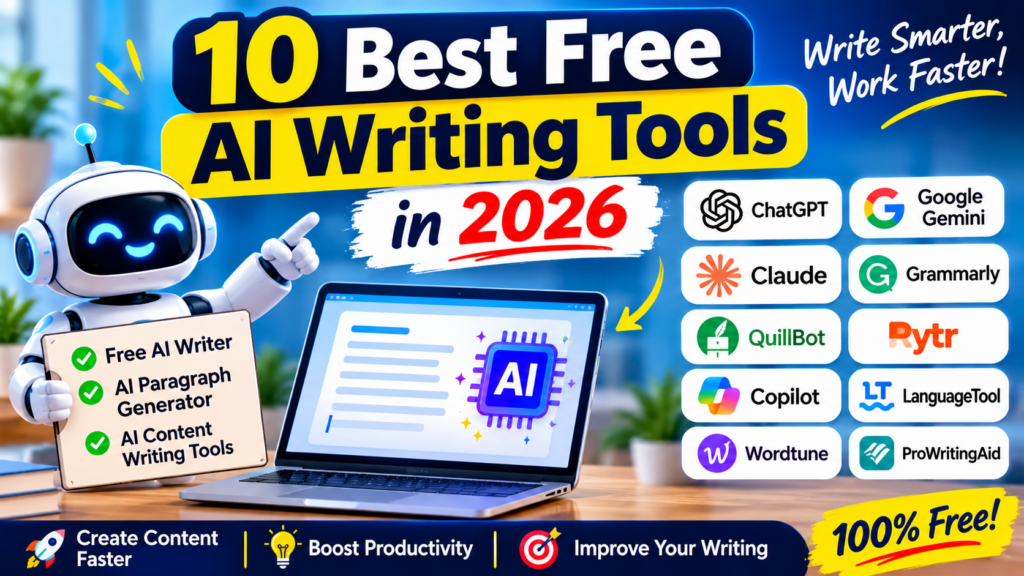

Introduction to AI Writing Tools
Creating high-quality content consistently can be challenging for bloggers, students, marketers, business owners, and content creators. From writing blog posts and social media captions to preparing emails and product descriptions, content creation takes time and effort. Fortunately, AI writing tools can make the process faster and easier.
In 2026, a wide range of AI content writing tools can help users brainstorm ideas, generate paragraphs, rewrite sentences, improve grammar, and prepare first drafts. Some platforms offer free access with usage limits, while others provide specialized features for editing, paraphrasing, and marketing copy.
Whether you need a free AI writer for everyday writing or an AI paragraph generator for quick content creation, choosing the right tool can improve your productivity.
In this article, we explore the 10 best free AI writing tools in 2026, including their main features, benefits, limitations, and ideal use cases.
Table of Contents
Quick Comparison: Best Free AI Writing Tools
| Tool | Best For | Free Access |
|---|---|---|
| ChatGPT | General writing and brainstorming | Yes, with limits |
| Google Gemini | Drafting and Google ecosystem tasks | Yes, with limits |
| Claude | Long-form writing and editing | Yes, with limits |
| Grammarly | Grammar, clarity, and tone | Yes, with limits |
| QuillBot | Paraphrasing and rewriting | Yes, with limits |
| Rytr | Short marketing content | Yes, with limits |
| Microsoft Copilot | Everyday writing and productivity | Yes, with limits |
| LanguageTool | Grammar and multilingual proofreading | Yes, with limits |
| Wordtune | Rewriting and improving sentences | Yes, with limits |
| ProWritingAid | Detailed editing and long-form writing | Yes, with limits |
Note: Free-plan features, usage allowances, and availability can change. Check each tool’s official website for the latest details.
1. ChatGPT — Best Free AI Writer for Everyday Content
ChatGPT is a versatile AI assistant that can help users create many types of written content. It is useful for bloggers, students, freelancers, business owners, and digital marketers who need assistance with drafting and editing.
You can provide a prompt describing your topic, audience, and preferred tone, then ask ChatGPT to generate a first draft. It can also suggest headlines, create outlines, rewrite paragraphs, and explain complicated topics in simpler language.
Key Features
- Generate blog post drafts and article outlines.
- Create emails, captions, and product descriptions.
- Use it as an AI paragraph generator.
- Brainstorm content ideas and headlines.
- Rewrite text in different tones and styles.
- Summarize information and organize notes.
Pros
- Versatile for many writing tasks.
- Easy to use with natural-language prompts.
- Helpful for brainstorming and outlining.
- Can adapt content to different audiences.
Cons
- May occasionally produce incorrect information.
- Free usage limits may apply to certain models and features.
- Generated content often needs fact-checking and editing.
Best for: Bloggers, students, freelancers, and anyone who needs an all-purpose writing assistant.
Visit: ChatGPT
2. Google Gemini — Best for Research and Everyday Drafting
Google Gemini is an AI assistant that helps users brainstorm ideas, draft content, summarize information, and refine written material. It can be especially convenient for people who already use Google services.
You can ask Gemini to suggest article topics, create outlines, draft introductions, or explain a subject for a particular audience. It can also help transform rough notes into organized paragraphs.
For example, a blogger writing about productivity software can ask Gemini to generate a list of article ideas, organize the main sections, and draft an initial introduction.
Key Features
- Generate content from written prompts.
- Brainstorm article ideas and headlines.
- Summarize and reorganize information.
- Draft emails and other everyday communications.
- Help structure blog posts and reports.
- Support writing-related workflows in the Google ecosystem.
Pros
- Useful for brainstorming and drafting.
- Convenient for users of Google services.
- Can help organize unstructured ideas.
- Supports a variety of everyday writing tasks.
Cons
- Some responses may contain inaccurate information.
- Features and limits vary by account and region.
- Outputs may require substantial editing for specialized topics.
Best for: Bloggers, students, professionals, and users who work with Google services.
Visit: Google Gemini
3. Claude — Best for Long-Form Writing
Claude is an AI assistant that can help produce structured, readable content. It is useful for people who want to develop detailed article drafts, refine explanations, summarize documents, or improve the flow of existing writing.
For long-form content, you can provide an outline and ask Claude to develop each section while maintaining a consistent tone. You can also request clearer transitions, simpler explanations, or alternative introductions.
However, you should always review generated claims and verify important facts before publishing.
Key Features
- Draft long-form articles and reports.
- Improve paragraph structure and readability.
- Rewrite content in a specified tone.
- Summarize lengthy text.
- Develop ideas from outlines and notes.
- Help edit and refine existing drafts.
Pros
- Useful for detailed writing tasks.
- Can help maintain a consistent tone.
- Good for restructuring and refining drafts.
- Supports analysis of substantial amounts of text, subject to current limits.
Cons
- Free usage is limited.
- Some integrations and advanced features may require paid access.
- Factual claims still require verification.
Best for: Writers, researchers, professionals, and bloggers working on detailed articles or reports.
Visit: Claude
4. Grammarly — Best for Grammar and Clarity
Grammarly focuses on improving written communication. Rather than serving only as a content generator, it helps users correct grammar, spelling, punctuation, and clarity issues.
Its writing assistance can be useful after drafting an article with another AI tool. You can review sentences, improve wording, and make your content easier to understand.
For professional communication, Grammarly can also help refine emails, reports, and business documents.
Key Features
- Grammar and spelling suggestions.
- Punctuation and clarity improvements.
- Writing-tone assistance.
- Sentence-level recommendations.
- AI writing assistance, subject to plan limits.
- Support for everyday professional writing.
Pros
- Helpful for proofreading.
- Improves clarity and readability.
- Useful for students and professionals.
- Can complement other AI writing tools.
Cons
- Some advanced features require a paid subscription.
- Suggestions may not always match your intended meaning.
- It is not a replacement for expert editing.
Best for: Students, office professionals, bloggers, and anyone who wants cleaner writing.
Visit: Grammarly
5. QuillBot — Best for Paraphrasing and Rewriting
QuillBot is a writing tool known for paraphrasing, summarizing, and improving existing text. It can help users explore alternative ways to express an idea while retaining its intended meaning.
For example, if a paragraph sounds repetitive or difficult to read, you can use QuillBot to generate an alternative version and then edit it to match your voice.
It can also help shorten lengthy explanations or simplify complex sentences.
Key Features
- Paraphrase sentences and paragraphs.
- Summarize longer text.
- Improve wording and readability.
- Check grammar with supported tools.
- Assist with citation-related tasks.
- Offer different rewriting options, depending on the plan.
Pros
- Useful for rewriting existing drafts.
- Helps reduce repetitive wording.
- Offers tools for summarization.
- Easy to incorporate into an editing workflow.
Cons
- Free paraphrasing has usage limits.
- Rewritten content may change the original meaning.
- Paraphrasing does not remove the need to cite sources.
Best for: Students, bloggers, editors, and people who regularly revise existing content.
Visit: QuillBot
6. Rytr — Best for Short Marketing Content
Rytr is an AI writing platform designed to assist with short-form content and common writing tasks. It can be useful when you need marketing copy without starting from a blank page.
You can use it to generate social media captions, product descriptions, email drafts, short introductions, and other marketing materials. Its writing workflows can help users produce multiple ideas quickly.
Rytr offers free access with limits, so check the current plan before relying on it for high-volume content production.
Key Features
- Generate marketing copy.
- Draft social media posts and captions.
- Create product descriptions.
- Assist with email writing.
- Generate short paragraphs and introductions.
- Support multiple writing use cases and languages.
Pros
- Designed for quick content generation.
- Useful for marketing-related tasks.
- Can help brainstorm several variations.
- Offers a more structured workflow than a general chatbot for some tasks.
Cons
- Free usage is limited.
- Long articles may require additional editing.
- Specialized capabilities can vary by plan.
Best for: Freelancers, small businesses, social media managers, and marketers.
Visit: Rytr
7. Microsoft Copilot — Best for Everyday Productivity Writing
Microsoft Copilot can help users draft, rewrite, summarize, and organize written information. It is useful for everyday tasks such as preparing emails, developing ideas, and turning notes into clearer text.
For example, you can ask Copilot to write a professional email, create an outline for a presentation, or summarize a topic in simple language.
Some Copilot experiences are available at no cost, but access to specific features within Microsoft 365 applications may depend on your account and subscription.
Key Features
- Draft emails and professional messages.
- Brainstorm ideas and article topics.
- Rewrite text in a different tone.
- Summarize information.
- Help organize reports and outlines.
- Support productivity workflows across Microsoft’s ecosystem.
Pros
- Useful for general productivity.
- Helps draft professional communications.
- Can turn rough ideas into structured content.
- Convenient for Microsoft ecosystem users.
Cons
- Some integrations require eligible subscriptions.
- Usage limits and capabilities vary.
- Generated content needs human review.
Best for: Office workers, students, business owners, and Microsoft 365 users.
Visit: Microsoft Copilot
8. LanguageTool — Best for Multilingual Proofreading
LanguageTool is a grammar and style checker that helps writers identify spelling, punctuation, and grammatical mistakes. It is particularly useful for people who write in multiple languages or want to improve the correctness of their text.
Although it is not primarily a full-length article generator, it can be an important part of an AI-assisted writing workflow.
You can draft content using another tool and then use LanguageTool to identify issues that might otherwise be missed.
Key Features
- Grammar and spelling checks.
- Punctuation corrections.
- Style and readability suggestions.
- Support for multiple languages.
- Browser and writing-app integrations.
- Limited rewriting features, depending on availability and plan.
Pros
- Useful for multilingual writing.
- Helps identify common writing mistakes.
- Complements AI-generated drafts.
- Offers free proofreading capabilities.
Cons
- Not designed primarily for creating complete articles.
- Some advanced suggestions require a paid plan.
- Language-specific recommendations may vary.
Best for: Multilingual writers, students, bloggers, and professionals.
Visit: LanguageTool
9. Wordtune — Best for Improving Sentences
Wordtune is designed to help users rewrite sentences and express ideas more clearly. It is useful when your writing is understandable but needs a more natural, concise, or professional style.
You can use it to revise introductions, improve awkward sentences, shorten wordy explanations, and explore alternative ways to communicate the same idea.
Its free access includes limits, so review the current plan before using it for frequent editing.
Key Features
- Rewrite sentences.
- Explore alternative wording.
- Improve clarity and flow.
- Adjust phrasing for different contexts.
- Summarize text with supported features.
- Assist with editing existing content.
Pros
- Useful for sentence-level improvements.
- Helps reduce unnecessary wording.
- Offers alternatives for awkward phrases.
- Works well alongside other writing tools.
Cons
- Free usage is limited.
- Rewrites may alter the intended meaning.
- It is less suited to producing an entire article from scratch.
Best for: Students, content editors, professionals, and writers who want to polish existing text.
Visit: Wordtune
10. ProWritingAid — Best for Detailed Writing Improvement
ProWritingAid is a writing assistant that focuses on grammar, style, readability, and editing. It can be helpful for people who produce longer documents and want to improve the overall quality of their writing.
Rather than simply replacing text, it provides suggestions that help writers identify repetitive wording, sentence-level issues, and opportunities to improve readability.
This makes it particularly useful during the editing stage of article writing, report preparation, and creative projects.
Key Features
- Grammar and spelling checks.
- Style and readability reports.
- Suggestions for improving sentences.
- Identification of repetitive wording.
- Writing analysis for longer documents.
- Integrations with supported writing applications.
Pros
- Helpful for detailed editing.
- Offers insights beyond basic spelling checks.
- Useful for long-form writing projects.
- Supports a more structured revision process.
Cons
- Some features require a paid subscription.
- Beginners may find detailed reports overwhelming.
- It is primarily an editing assistant rather than a general-purpose AI writer.
Best for: Authors, bloggers, professional writers, and people editing long documents.
Visit: ProWritingAid
How to Choose the Best Free AI Writing Tool
The right tool depends on the type of content you create, your workflow, and the limitations you can accept.
Consider these factors before choosing an AI writing assistant.
1. Identify Your Writing Needs
Start by deciding what you want the tool to do. If you need complete article drafts, choose a general AI assistant such as ChatGPT, Gemini, or Claude. If you mainly need to correct grammar, Grammarly or LanguageTool may be more appropriate.
For paraphrasing, QuillBot and Wordtune are useful options to explore.
2. Check the Free-Plan Limits
A tool may advertise free access while restricting the number of messages, words, rewrites, or advanced features available.
Before building your workflow around a particular platform, check whether its free allowance meets your regular needs.
3. Consider Ease of Use
A simple interface and straightforward prompts can make content creation much faster. Beginners may prefer a general-purpose assistant, while experienced writers may benefit from dedicated editing and rewriting features.
4. Review the Output Quality
Test each tool with a realistic writing task. For example, ask it to draft a 150-word introduction for a blog post or rewrite a paragraph for a professional audience.
Compare the results for accuracy, clarity, tone, and the amount of editing required.
5. Protect Your Information
Avoid pasting confidential business information, private customer details, passwords, or sensitive documents into an AI writing service unless its data practices and your organization’s rules permit it.
Review the platform’s privacy settings and terms before using it for sensitive work.
How to Use an AI Paragraph Generator Effectively
An AI paragraph generator can help you turn a short idea into a more developed explanation. However, the quality of the output depends heavily on the prompt you provide.
Follow these steps to get more useful results.
Step 1: Define the topic.
Explain exactly what the paragraph should cover. Avoid prompts that are too broad.
Step 2: Specify the audience.
Tell the tool whether you are writing for beginners, professionals, students, or potential customers.
Step 3: Choose the tone and length.
For example, request a friendly 120-word paragraph or a concise professional explanation.
Step 4: Include the required keywords naturally.
If your article targets a phrase such as “AI content writing tools,” ask the assistant to include it where relevant rather than repeating it unnecessarily.
Step 5: Review the generated paragraph.
Check the facts, remove repetition, improve the wording, and add relevant examples.
Example Prompt
You can use the following prompt with a free AI writing assistant:
“Write a clear, engaging 150-word paragraph about the benefits of AI writing tools for bloggers. Use simple English, maintain a professional yet friendly tone, and naturally include the keyword ‘free AI writer’ once. Avoid exaggerated claims and repetitive sentences.”
This approach gives the tool clear instructions and makes the output easier to edit.
Are Free AI Content Writing Tools Good for SEO?
Yes, free AI content writing tools can support SEO workflows when used carefully. They can help generate article outlines, suggest related topics, improve headings, draft meta descriptions, and make difficult explanations easier to understand.
However, AI-generated content does not automatically rank well in search engines. Search performance depends on factors such as usefulness, originality, relevance, trustworthiness, and how well the content satisfies the reader’s needs.
For better results:
- Research the topic before drafting.
- Use relevant keywords naturally.
- Write helpful headings and subheadings.
- Verify factual claims and statistics.
- Add original insights, examples, and experience.
- Edit the draft to match your brand voice.
- Write a useful title and meta description.
- Update the content when information becomes outdated.
Avoid publishing large volumes of unedited AI text simply to target keywords. Focus on creating content that answers real questions and provides value to readers.
Frequently Asked Questions (FAQs)
1. What is the best free AI writer in 2026?
ChatGPT is a strong all-purpose choice for brainstorming, drafting, rewriting, and creating outlines. Google Gemini and Claude are also worth trying. The best option depends on your writing needs, preferred workflow, and available free usage.
2. Which AI paragraph generator is free?
ChatGPT, Google Gemini, and Claude can generate paragraphs through their free access options, subject to usage limits. You can provide a topic, word count, target audience, and preferred tone to guide the result.
3. Are free AI writing tools good for blog posts?
Yes. They can help with brainstorming, outlining, drafting, and editing blog posts. For publication, review the output carefully, verify facts, and add original insights to make the article useful and distinctive.
4. Can AI writing tools help with SEO content?
AI writing tools can help prepare outlines, headings, meta descriptions, and initial drafts. They cannot guarantee rankings. Effective SEO requires useful content, accurate information, appropriate keyword use, and a good reader experience.
5. Can I use AI-generated content on my website?
You can use AI as part of your content creation process, but you should review the content for accuracy, originality, relevance, and quality before publishing. Follow applicable platform policies and disclose AI assistance when required.
6. Are free AI content writing tools completely unlimited?
Not necessarily. Many tools offer free plans with restrictions on messages, words, rewrites, or advanced features. Check the current terms of each platform before relying on it for large projects.
7. Which free AI writing tool is best for students?
ChatGPT, Gemini, and Claude can help students understand topics, brainstorm ideas, and organize drafts. Grammarly, QuillBot, and LanguageTool can assist with editing. Students should follow their institution’s rules for AI use and complete their own learning and verification.
Conclusion
The best free AI writing tools in 2026 can make writing faster, help organize ideas, and improve the quality of everyday content. However, each tool serves a slightly different purpose.
For general drafting, ChatGPT, Google Gemini, and Claude are good starting points. Grammarly and LanguageTool help improve correctness, while QuillBot and Wordtune are useful for rewriting. Rytr supports short marketing content, and ProWritingAid offers more detailed editing assistance.
You do not need to pay for several tools immediately. Start with one free AI writer that fits your workflow, then add a proofreading or paraphrasing tool if you need it.
Most importantly, treat AI as a writing assistant rather than a replacement for your judgment. Fact-check the output, edit it in your own voice, and focus on creating helpful, original content for your readers.