Creating professional presentations no longer requires hours of manual formatting, designing slides, or searching for the perfect templates. In 2026, artificial intelligence (AI) makes it easier than ever to transform simple ideas, documents, and text prompts into visually appealing presentations.
Whether you are a student preparing an assignment, a professional creating a business proposal, a teacher developing educational materials, or a content creator building a presentation for your audience, an AI-powered tool can help you save time and improve your slides.
The best free AI presentation makers in 2026 offer features such as automatic slide generation, AI-powered content writing, customizable templates, image suggestions, and presentation design assistance. Some tools can even transform an entire document into a structured slide deck within minutes.
In this article, we will explore seven of the best AI tools available, their key features, benefits, limitations, and ideal use cases to help you choose the right AI presentation maker for your needs.
Table of Contents
What is an AI Presentation Maker?
An AI presentation maker is a software tool that uses artificial intelligence to generate presentation slides from text prompts, documents, outlines, or other content.
Instead of building every slide manually, you can enter a topic such as “Digital Marketing Trends in 2026” and let the AI create a presentation outline, suggest relevant content, organize information into slides, and apply a suitable visual design.
Depending on the platform, you may also be able to edit the generated slides, add images, customize colors, and export your presentation into formats such as PowerPoint or PDF.
An AI PPT maker is especially useful for people who want to create professional-looking presentations without advanced graphic design skills.
Benefits of Using AI Presentation Tools
Here are some important advantages of using AI to create presentations:
- Save time: Generate presentation drafts in minutes instead of starting from scratch.
- Improve slide design: Use professionally designed layouts and templates.
- Generate content faster: Turn ideas, notes, and documents into organized slide content.
- Simplify editing: Customize layouts, text, images, and colors with less effort.
- Increase productivity: Focus more on research, storytelling, and presenting your ideas.
- Create multiple formats: Depending on the tool, export presentations as PowerPoint files, PDFs, or shareable online presentations.
However, AI-generated content should always be reviewed for accuracy, relevance, and readability before presenting it to an audience.
7 Best Free AI Presentation Makers in 2026
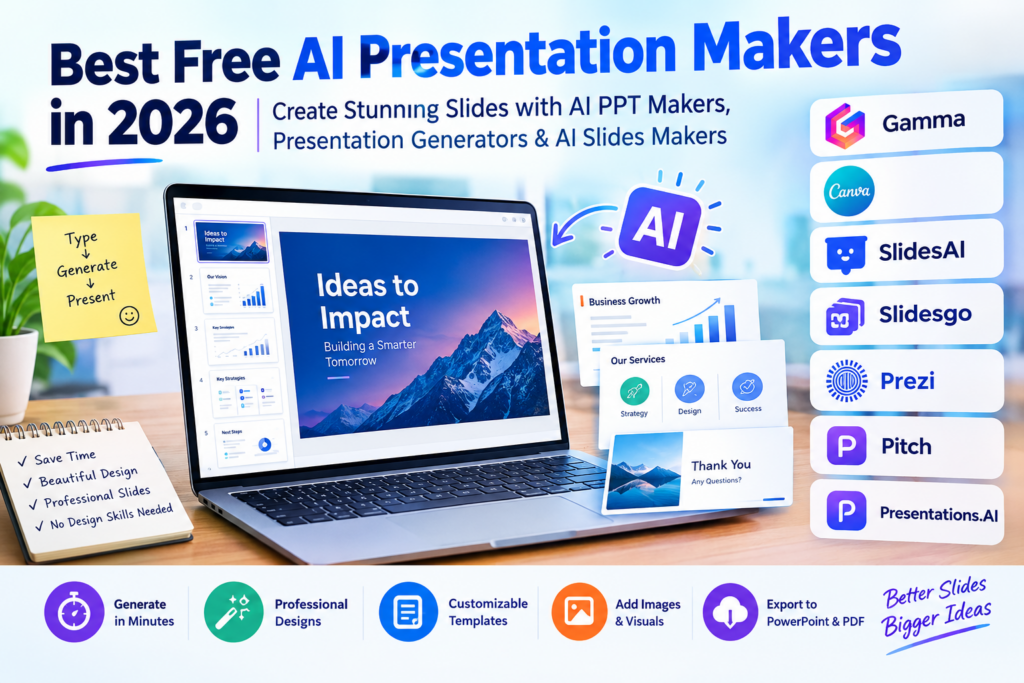
The following tools stand out for their different approaches to AI-powered presentation creation. Some focus on generating complete presentations from prompts, while others provide more control over design and customization.
1. Gamma — Best for Generating Presentations from Text
Gamma is an AI-powered presentation platform that transforms text prompts, ideas, and existing content into structured, visually appealing presentations.
It is a strong choice for users who want to create a presentation quickly without spending too much time arranging individual slides.
With Gamma, you can describe your topic, review the generated structure, and refine the content and design to match your requirements.
Key Features:
- Generate presentations from text prompts.
- Create structured slides with modern layouts.
- Import content from supported document and presentation formats.
- Customize text, images, and visual elements.
- Export presentations in supported formats.
- Share presentations online.
Pros:
- Quick presentation generation.
- Modern, visually appealing designs.
- Beginner-friendly interface.
- Useful for business presentations, reports, and educational content.
Cons:
- Free usage is limited by available AI credits.
- Free presentations may include Gamma branding.
- Complex presentations may require manual editing.
Best For: Students, professionals, entrepreneurs, and content creators who want a fast AI presentation generator.
Gamma is an excellent starting point if your main goal is to turn an idea into a complete presentation with minimal manual effort.
2. Canva — Best for Creative Presentation Design
Canva is a popular visual design platform that offers presentation templates, drag-and-drop editing, and AI-powered design features.
Its presentation tools make it possible to create attractive slides even if you have little or no graphic design experience.
You can start with a template, customize individual slides, and use available AI features to help generate presentation content and designs.
Key Features:
- Large collection of presentation templates.
- Drag-and-drop slide editor.
- AI-assisted design and content creation.
- Built-in graphics, icons, illustrations, and images.
- Team collaboration features.
- Presentation downloads in supported formats.
Pros:
- Easy to use for beginners.
- Extensive template and design library.
- Flexible customization options.
- Suitable for both personal and professional projects.
Cons:
- Some templates, images, and design elements require a paid plan.
- AI features have usage limits.
- Advanced branding features may require a subscription.
Best For: Students, marketers, teachers, social media creators, and small businesses.
If visual quality and customization are your priorities, Canva is one of the most versatile options to consider.
3. SlidesAI — Best for Google Slides Users
SlidesAI helps users generate presentation slides from text without having to create every slide manually.
It is particularly useful for people who already work with Google Slides and want AI assistance within their existing presentation workflow.
You can provide your text, select suitable presentation settings, and allow the tool to organize the content into slides.
Key Features:
- Convert text into presentation slides.
- Generate structured slide content.
- Support presentation creation within Google Slides.
- Customize generated slides.
- Reduce repetitive formatting work.
Pros:
- Convenient for existing Google Slides users.
- Helps organize lengthy text into presentation sections.
- Useful for educational and business presentations.
- Reduces the time required to create an initial slide deck.
Cons:
- Free usage has limits.
- Generated slides may need additional design work.
- Output quality depends on the clarity and organization of your input.
Best For: Students, teachers, office workers, and users who frequently create presentations in Google Slides.
SlidesAI is worth considering if you prefer working within Google Slides rather than learning a completely new presentation platform.
4. Slidesgo AI Presentation Maker — Best for Ready-Made Templates
Slidesgo is known for its presentation templates and also provides an AI-powered presentation maker.
It is a practical option for users who want AI-generated content combined with attractive, ready-made slide designs.
Instead of designing every slide from scratch, you can use the AI presentation generator to develop a presentation around your topic and then customize the result.
Key Features:
- AI-assisted presentation creation.
- Variety of presentation templates.
- Educational and professional slide designs.
- Editable presentation layouts.
- Options to customize text and visual elements.
Pros:
- Useful selection of presentation designs.
- Suitable for classroom and academic projects.
- Helps users get started quickly.
- Good for people who prefer template-based design.
Cons:
- Free AI presentation generation is limited.
- Some templates and features may require payment.
- You may need to make adjustments to achieve a consistent design.
Best For: Students, educators, trainers, and professionals looking for attractive presentation templates.
Slidesgo is particularly helpful when you want a combination of AI assistance and traditional template-based editing.
5. Prezi — Best for Interactive Presentations
Prezi offers a different approach to presentations by emphasizing movement, visual storytelling, and interactive presentation experiences.
Rather than relying exclusively on conventional slide-by-slide layouts, Prezi allows users to organize information visually and move between related ideas.
Its AI-powered features can help users develop presentation content and improve the process of creating a presentation.
Key Features:
- Visual storytelling and presentation layouts.
- AI-assisted content creation.
- Dynamic presentation experiences.
- Tools for presenting complex relationships between ideas.
- Interactive presentation features, depending on the plan.
Pros:
- Distinctive presentation style.
- Useful for storytelling and explaining connected concepts.
- Can help make presentations more engaging.
- Offers an alternative to traditional slide layouts.
Cons:
- The interface may take time to learn.
- Some features and usage options are restricted on the free plan.
- Dynamic visual effects may not suit every business presentation.
Best For: Educators, speakers, trainers, and presenters who want to explain ideas through visual storytelling.
Prezi is worth exploring if you want your presentation to feel more interactive than a conventional PowerPoint deck.
6. Pitch — Best for Business and Team Presentations
Pitch is a presentation platform designed to help individuals and teams create, edit, and share professional slide decks.
It combines presentation design tools with collaboration features, making it useful for business proposals, startup pitches, sales presentations, and internal reports.
Its AI features can help users get started with presentation content and reduce the amount of manual work required.
Key Features:
- Presentation templates for business use.
- AI-assisted presentation creation.
- Collaborative editing.
- Slide sharing and presentation management.
- Tools for creating consistent team presentations.
Pros:
- Suitable for professional presentations.
- Helpful collaboration features.
- Modern slide designs.
- Useful for teams working on shared projects.
Cons:
- Free AI credits may be limited.
- Some export options and advanced features depend on the plan.
- Generated content may need refinement for formal business use.
Best For: Startups, marketing teams, sales professionals, and businesses that regularly create presentations.
Pitch is a useful option for teams that value collaboration and want to produce polished presentations efficiently.
7. Presentations.AI — Best for AI-Generated Business Slides
Presentations.AI focuses on helping users turn presentation ideas into structured, professionally styled slide decks.
It is designed for people who want AI to handle much of the initial content organization and presentation design process.
The platform can help generate presentation drafts for business communication, proposals, reports, and other professional purposes.
Key Features:
- AI-powered presentation generation.
- Presentation creation from prompts.
- Structured slide layouts.
- Customization options for generated content.
- Sharing and export features, depending on the plan.
Pros:
- Designed for fast presentation creation.
- Useful for business-oriented slide decks.
- Helps structure content into a presentation.
- Can reduce the need for manual slide design.
Cons:
- Free AI credits are limited.
- Some export capabilities may depend on the plan.
- Generated presentations still require fact-checking and editing.
Best For: Business professionals, consultants, entrepreneurs, and users who frequently prepare reports or proposals.
Presentations.AI is worth trying if you want an AI-first workflow for creating professional presentations.
Comparison of the Best Free AI Presentation Makers in 2026
The following table summarizes the main strengths of each tool.
| AI Presentation Maker | Best For | Main Strength | Free Plan Consideration |
|---|---|---|---|
| Gamma | Fast presentation creation | Generates structured decks from prompts | AI credits and branding limitations |
| Canva | Creative presentations | Templates and visual customization | Limited AI usage and premium assets |
| SlidesAI | Google Slides users | Converts text into slides | Presentation and input limits |
| Slidesgo | Education and templates | Ready-made slide designs | Limited AI generations |
| Prezi | Interactive storytelling | Dynamic visual presentation style | Feature and usage restrictions |
| Pitch | Business teams | Collaboration and professional layouts | Limited AI credits and export options |
| Presentations.AI | Business presentations | AI-generated slide decks | Credit and export restrictions |
Important: Free plans and AI allowances can change. Before creating an important presentation, check each platform’s current terms, particularly its slide limits, AI credits, branding requirements, and export options.
How to Choose the Best AI PPT Maker in 2026
Choosing the right AI PPT maker depends on the type of presentation you want to create and how much control you need over the final result.
Here are the most important factors to consider.
1. Check the Free Plan
Some platforms offer ongoing free access with usage limits, while others provide a limited number of AI credits.
Check whether the free plan is sufficient for your needs before spending time building a presentation.
2. Look for PowerPoint and PDF Export
If you need to submit an assignment, send a business proposal, or present offline, check whether you can download your slides.
Some AI presentation tools allow online sharing but restrict downloadable formats to paid plans.
3. Evaluate Design Quality
Choose a tool that offers clear typography, readable layouts, suitable visuals, and consistent formatting.
A presentation should communicate information effectively rather than overwhelm viewers with animations or decorative elements.
4. Consider Editing Flexibility
AI-generated slides rarely match every requirement perfectly.
Look for a platform that allows you to edit text, rearrange slides, replace images, change colors, and customize layouts.
5. Review Privacy and Data Policies
If you plan to upload business reports, confidential documents, or client information, review the platform’s privacy policies and data-handling practices first.
Avoid uploading sensitive information unless you are confident that the service’s terms and security controls meet your requirements.
How to Create a Presentation Using an AI Slides Maker
Creating a presentation with an AI slides maker is straightforward. Follow these steps to generate your first slide deck.
Step 1: Choose Your AI Presentation Tool
Select a platform based on your requirements.
For example, choose Gamma for fast AI-generated presentations or Canva if you want extensive design customization.
Step 2: Enter Your Topic or Prompt
Provide a clear description of the presentation you want to create.
For example:
“Create a 10-slide presentation about digital marketing trends in 2026 for small business owners. Include an introduction, five major trends, practical examples, key statistics where verifiable, recommendations, and a conclusion.”
A specific prompt usually produces a more useful first draft than a vague topic.
Step 3: Review the Generated Outline
Before generating or finalizing the slides, review the outline.
Make sure the presentation follows a logical structure and includes the most important points.
Remove unnecessary sections and add any information your audience needs.
Step 4: Customize the Slides
Adjust the design to match your purpose.
You can change headings, add images, modify colors, simplify text, and rearrange slides.
Keep each slide focused on one main idea whenever possible.
Step 5: Verify the Information
AI-generated content can contain incorrect facts, outdated statistics, or unsupported claims.
Check important figures, quotations, references, and factual statements before using the presentation professionally.
Step 6: Export or Share Your Presentation
Once you are satisfied with the result, download it in a supported format or share it online.
If you need an editable PowerPoint file, verify the export format before relying on the tool for an important deadline.
Are Free AI Presentation Makers Worth Using?
Yes. Free AI presentation makers can be extremely useful for students, teachers, professionals, and creators who want to save time.
They can simplify the process of creating a presentation by generating an initial outline, organizing information into slides, and suggesting suitable designs.
However, free tools have limitations. You may encounter AI credit restrictions, limited templates, watermarks, branding requirements, or restrictions on exporting presentations.
For occasional projects, these limitations may not matter. If you create presentations frequently or need advanced customization, a paid plan may be worth considering.
The best approach is to test a free plan with a small project before committing to a particular platform.
Frequently Asked Questions (FAQs)
1. What is the best free AI presentation maker in 2026?
Gamma is a strong option for generating presentations quickly from text prompts. Canva is an excellent alternative for users who want greater control over visual design and templates. The best choice depends on your editing and export requirements.
2. Is there a free AI PPT maker that creates PowerPoint presentations?
Yes. Some tools offer PowerPoint export on their free plans, although availability and limitations vary. Check the current export options of Gamma, Canva, Slidesgo, and other platforms before starting your project.
3. Can AI generate an entire presentation from a text prompt?
Yes. Many AI presentation tools can generate a presentation outline, organize content into slides, and apply a design based on a text prompt. You should still review and edit the result for accuracy and relevance.
4. Which AI slides maker is best for students?
Canva, Gamma, and Slidesgo are useful options for students. Canva provides flexible templates, Gamma helps generate slide decks quickly, and Slidesgo offers designs suited to educational projects.
5. Can I use AI-generated presentations for business?
Yes. AI-generated presentations can be used for business proposals, internal reports, sales decks, and marketing presentations. However, review the content carefully and ensure that the design, facts, and messaging meet professional standards.
6. Do free AI presentation makers add watermarks?
Some tools add branding or watermarks to presentations created with their free plans, while others may restrict certain premium assets or export features. Always check the current terms before creating a presentation for a client or business meeting.
7. Can AI presentation tools replace PowerPoint?
AI presentation tools can automate many tasks involved in creating slides, but they do not completely replace traditional presentation software. Many users combine AI-generated drafts with PowerPoint or Google Slides to refine their presentations.
Conclusion
The best free AI presentation makers in 2026 make it easier to transform ideas into structured, visually appealing presentations without starting from scratch.
Gamma is a strong choice for generating complete presentations from prompts, Canva is ideal for creative customization, and SlidesAI is useful for people who prefer working with Google Slides. Slidesgo, Prezi, Pitch, and Presentations.AI offer additional options for educational projects, interactive storytelling, team collaboration, and business presentations.
Before choosing a tool, compare its free AI allowance, design flexibility, export options, and branding restrictions.
Our recommendation: Start with Gamma if you want to generate a presentation quickly, or Canva if you prefer more control over the final design. Test the free version first, refine the AI-generated content, and choose the platform that best fits your workflow.
With the right AI PPT maker, you can spend less time formatting slides and more time developing ideas, communicating clearly, and delivering effective presentations.