Best Free AI Image Generators in 2026
Artificial intelligence has transformed the way people create digital images. In 2026, you no longer need professional design skills or expensive software to produce eye-catching visuals. With a simple text prompt, you can generate realistic photographs, digital paintings, product images, illustrations, and creative artwork in minutes.
Whether you are a blogger, content creator, digital marketer, student, or business owner, the best free AI image generators can help you turn your ideas into impressive visuals without spending money.
Many tools now offer free image generation, although some limit the number of images you can create or reserve advanced features for paid subscribers. Choosing the right platform depends on your creative needs, image quality expectations, and budget.
In this guide, we explore some of the best free AI image generators in 2026, their key features, and how you can use them to create professional-looking images.
Table of Contents
What is an AI Image Generator?
An AI image generator is a tool that uses artificial intelligence models to create images based on written instructions, reference images, or other inputs.
For example, you could enter a prompt such as “A futuristic city at sunset with flying cars and glowing skyscrapers” and let the AI generate an image based on your description.
Modern text-to-image AI tools can produce a wide variety of visual content, including:
- Realistic photographs and portraits
- Digital art and illustrations
- Blog featured images and website graphics
- Social media posts and advertising creatives
- Product mockups and concept designs
- Fantasy artwork and gaming characters
- Educational illustrations and presentations
These tools make image creation faster and more accessible for beginners and professionals alike.
Best Free AI Image Generators in 2026
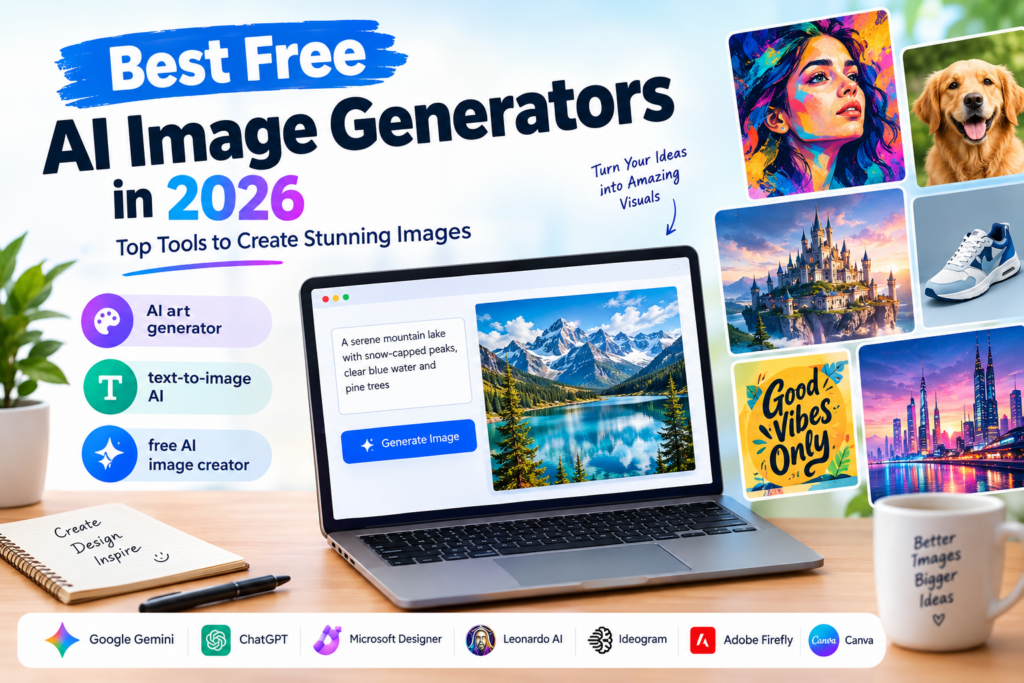
Here are some popular AI image generation tools worth exploring in 2026.
1. Google Gemini
Google Gemini is a convenient option for users who want to create and edit images using natural-language instructions. You can describe the image you want, review the result, and request changes through a conversational interface.
Key Features:
- Generate images from text prompts.
- Edit images using written instructions.
- Create visuals for blogs, presentations, and social media.
- Refine results through follow-up prompts.
- Access image generation through the Gemini interface, subject to availability and usage limits.
Best For: Bloggers, students, marketers, and beginners who want a straightforward image creation experience.
Free Plan: Image generation is available to eligible free users, subject to usage limits and feature availability.
2. ChatGPT Image Generation
ChatGPT is another useful option for people who want to create images without learning complicated design software. Users can describe an idea in everyday language and refine the result through additional instructions.
For example, you could request a professional blog thumbnail, a colorful infographic illustration, or a realistic product scene. You can then ask for adjustments to the composition, background, colors, or visual style.
Key Features:
- Create images from detailed text descriptions.
- Refine images through conversational prompts.
- Explore different artistic styles and compositions.
- Develop visuals for articles, presentations, and creative projects.
- Generate and edit images where supported by your account.
Best For: Content creators, writers, bloggers, and people who want a simple creative workflow.
Free Plan: Free users may have access to image generation with usage limits. Availability and limits can change.
3. Microsoft Designer Image Creator
Microsoft Designer Image Creator helps users transform written descriptions into visual content. It is worth considering if you want to experiment with AI-generated illustrations, creative concepts, or social media graphics.
The tool is particularly useful for people who prefer a browser-based experience rather than installing specialist software.
Key Features:
- Generate images from text prompts.
- Explore different visual concepts.
- Create artwork for personal projects and digital content.
- Access image creation through supported Microsoft services.
- Experiment with creative ideas without advanced design skills.
Best For: Casual users, students, bloggers, and people creating everyday digital visuals.
Free Plan: Free access is available through supported services, subject to account requirements, usage limits, and current terms.
4. Leonardo AI
Leonardo AI is a popular platform for creating detailed digital artwork, concept art, character designs, and stylized visuals. It offers tools for users who want more creative control over the appearance of generated images.
The platform is especially useful when you need images with a consistent artistic direction, such as fantasy illustrations or game-related artwork.
Key Features:
- Generate images from text prompts.
- Explore different artistic styles.
- Create concept art and character designs.
- Refine and develop visual ideas.
- Access additional creative tools, depending on your plan.
Best For: Digital artists, game developers, illustrators, and creative content producers.
Free Plan: A limited free allowance is available, with token usage and feature access depending on the current plan.
5. Ideogram
Ideogram is worth considering when your image needs to include readable text. Many AI image tools have historically struggled to render words accurately, particularly in complicated layouts. Ideogram focuses on visual generation and offers features useful for typography-based designs.
This makes it a practical choice for experimenting with posters, title graphics, promotional artwork, and other text-heavy visuals.
Key Features:
- Generate images from written prompts.
- Create typography-focused graphics.
- Explore poster and promotional design concepts.
- Experiment with different layouts and styles.
- Refine visual ideas for digital publishing.
Best For: Social media creators, bloggers, marketers, and users creating text-based graphics.
Free Plan: Free access is available with usage restrictions that may include limited credits and generation speeds.
6. Adobe Firefly
Adobe Firefly is designed for AI-powered image creation and editing. It can help users develop visual concepts, generate artwork, and make changes to existing images through supported generative features.
It is particularly relevant to designers and marketing teams who want AI image generation alongside a broader creative workflow.
Key Features:
- Generate images from text descriptions.
- Explore different visual styles.
- Use supported generative editing features.
- Develop creative concepts for marketing materials.
- Integrate AI-generated assets into compatible Adobe workflows.
Best For: Designers, creative professionals, and businesses producing visual content.
Free Plan: Free access or introductory generative credits may be available, depending on the current Adobe offering and account.
7. Canva AI Image Generator
Canva is a useful choice for people who want to generate images and immediately incorporate them into finished designs. Instead of creating an image in one application and moving it elsewhere, users can combine AI-generated visuals with text, layouts, and other design elements.
This approach is especially convenient for bloggers and social media managers.
Key Features:
- Generate images from text prompts through supported AI features.
- Add generated visuals to existing designs.
- Create social media graphics and presentations.
- Combine images with text, shapes, and templates.
- Prepare marketing materials in one design environment.
Best For: Bloggers, small businesses, social media managers, and non-designers.
Free Plan: Canva offers free design features and limited access to certain AI tools. Available image-generation credits and features depend on the current plan.
Comparison of the Best Free AI Image Generators
The following table summarizes which tools are worth considering for different creative needs.
| AI Image Generator | Best For | Main Advantage | Free Access |
|---|---|---|---|
| Google Gemini | General image creation | Conversational generation and editing | Available with limits |
| ChatGPT | Beginners and content creators | Natural-language instructions and revisions | Available with limits |
| Microsoft Designer | Everyday creative visuals | Browser-based image creation | Available through supported services |
| Leonardo AI | Digital and fantasy art | Creative styles and customization | Limited allowance |
| Ideogram | Typography and posters | Text-focused image creation | Limited allowance |
| Adobe Firefly | Creative design workflows | Generative image editing | Limited or introductory access |
| Canva AI | Social media and marketing graphics | Image generation within a design workflow | Limited AI access |
Important: Free plans, generation limits, commercial-use permissions, and available features can change. Check each provider’s current terms before choosing a tool for regular or business use.
Benefits of Using a Free AI Image Creator
A free AI image creator can make visual content production easier, especially when you need images regularly but have a limited budget.
1. Save Time and Effort
Traditional image creation can involve photography, illustration, editing, or searching through stock image libraries. AI tools can generate an initial visual concept in minutes, helping you move from an idea to a usable draft faster.
2. Reduce Design Costs
Small businesses and independent creators may not have the budget to commission custom artwork for every project. Free AI image generators offer an accessible way to experiment with visual content before investing in professional services or paid tools.
3. Create Unique Blog Images
Bloggers can use AI-generated images to illustrate articles, create featured images, and develop supporting graphics. Custom visuals can also help establish a consistent visual identity across a website.
4. Improve Social Media Content
Visuals play an important role in social media marketing. AI image generators can help you develop concepts for Instagram posts, Facebook creatives, Pinterest graphics, and other digital content.
5. Explore Different Creative Styles
With text-to-image AI, you can experiment with photography, watercolor, 3D rendering, cartoons, cinematic scenes, and many other styles. You can compare different approaches before deciding which direction suits your project.
How to Write Better Prompts for AI Image Generators
The quality of an AI-generated image often depends on how clearly you describe what you want. A detailed prompt helps the AI understand the subject, composition, lighting, and visual style.
Here are some practical tips for writing effective prompts.
1. Describe the Main Subject
Start by clearly explaining what you want the image to show.
Example:
Instead of writing “a beautiful landscape,” try “a photorealistic mountain landscape with a crystal-clear lake, pine forests, and snow-covered peaks at sunrise.”
2. Specify the Art Style
Mention whether you want a realistic photograph, digital illustration, 3D render, watercolor painting, or minimalist design.
Example: “Create a modern 3D illustration of a robot working on a laptop in a futuristic office.”
3. Include Lighting and Colors
Lighting and color choices can dramatically affect the final image.
Example: “Use warm golden-hour lighting, soft shadows, and a natural color palette to create a cinematic atmosphere.”
4. Mention the Image Dimensions or Layout
If you are creating images for a blog, website, or social media platform, specify the intended format.
For example:
- Blog featured image: Wide 16:9 composition.
- Instagram post: Square 1:1 composition.
- Pinterest graphic: Vertical composition.
- Website banner: Wide landscape composition.
Some AI tools may require you to select the aspect ratio separately rather than include it in the prompt.
5. Refine the Image With Follow-Up Instructions
You do not always need to generate a perfect image on your first attempt. Ask the tool to change the background, adjust the lighting, simplify the composition, or make the subject more prominent.
This iterative approach can help you achieve better results without starting from scratch.
Are Free AI Image Generators Suitable for Commercial Use?
Free AI image generators can be useful for business projects, but free access does not automatically mean unrestricted commercial use.
Before using AI-generated images for advertisements, client projects, product packaging, or monetized websites, review the provider’s terms.
Consider these important factors:
- Commercial rights: Check whether the plan permits business use.
- Watermarks: Determine whether downloaded images contain visible watermarks.
- Privacy: Check whether your images are public or private by default.
- Copyright: Understand the provider’s policies concerning generated content and third-party intellectual property.
- Brand assets: Avoid generating images that improperly reproduce protected logos, characters, or copyrighted artwork.
- Sensitive content: Do not upload confidential business documents or private photographs without understanding the platform’s data policies.
If you plan to use AI-generated images professionally, compare these conditions before committing to a particular platform.
How to Choose the Best Free AI Image Generator in 2026?
With so many options available, selecting the right AI art generator depends on your specific requirements.
Here are some recommendations based on common use cases.
For beginners: Start with Google Gemini or ChatGPT if you prefer describing your ideas in everyday language.
For digital artwork: Explore Leonardo AI for stylized illustrations, character concepts, and creative projects.
For images containing text: Try Ideogram when your design requires readable words, headlines, or typography.
For marketing designs: Consider Canva AI if you want to combine generated images with ready-made layouts and design elements.
For creative editing: Explore Adobe Firefly if you need AI-assisted image generation and editing within a broader design workflow.
Before choosing, compare the actual free allowance, image quality, editing features, download options, and usage rights. The best tool is the one that meets your needs without requiring unnecessary spending.
Frequently Asked Questions (FAQs)
1. What is the best free AI image generator in 2026?
Google Gemini, ChatGPT, Microsoft Designer, Leonardo AI, and Ideogram are all worth exploring. The best choice depends on your preferred style, available free credits, and whether you need realistic images, digital art, or text-based graphics.
2. Can I generate AI images for free?
Yes. Several platforms offer free image generation or limited free credits. However, some restrict the number of images you can create, the available models, or access to advanced editing features.
3. Which AI image generator is best for beginners?
Google Gemini and ChatGPT are good starting points for beginners because they support natural-language instructions. You can describe your desired image and refine it through follow-up requests.
4. What is text-to-image AI?
Text-to-image AI is a technology that uses artificial intelligence to create images from written descriptions. Users provide prompts describing a subject, setting, style, or composition, and the system generates a corresponding image.
5. Can I use AI-generated images on my blog?
Generally, you can use AI-generated images on a blog, subject to the tool’s terms and applicable laws. Before publishing, check commercial-use permissions and ensure the image does not improperly reproduce protected material.
6. Are free AI image generators better than stock photos?
It depends on your needs. AI image generators are useful for creating customized visuals, while stock photography can provide authentic photographs and more clearly documented licensing options. Both can be valuable for websites and marketing projects.
7. Do I need design skills to use an AI image generator?
No. Most modern tools allow you to create images by describing what you want in ordinary language. Basic knowledge of composition, lighting, and image styles can help you produce better results, but advanced design skills are not required.
Conclusion
The best free AI image generators in 2026 make it easier than ever to turn creative ideas into digital visuals. Whether you need images for blog posts, social media, advertising, presentations, or personal projects, there are several tools worth trying without immediately paying for a subscription.
Google Gemini and ChatGPT are convenient starting points for general image creation, Leonardo AI is worth exploring for digital artwork, Ideogram is useful for typography-focused graphics, and Canva AI can simplify the process of building complete designs.
Ultimately, the right AI art generator depends on your goals, preferred creative style, and available free usage limits.
Start by experimenting with a few platforms, writing detailed prompts, and comparing the results. With the right approach, a free AI image creator can become a valuable part of your content creation workflow.
As these technologies continue to develop, text-to-image AI is likely to become an increasingly useful resource for bloggers, businesses, designers, and creators looking to produce engaging visual content.