Discover How AI Is Transforming Business Operations and Productivity
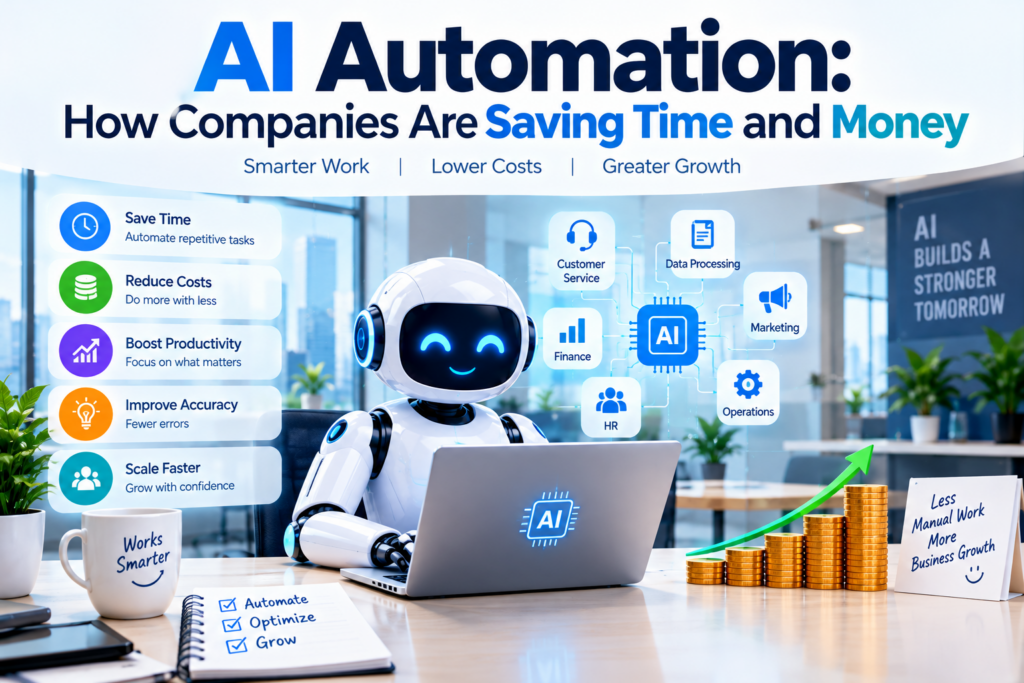
In today’s competitive business environment, companies are constantly looking for ways to reduce operating costs, improve productivity, and deliver better customer experiences. One technology helping organizations achieve these goals is AI automation.
Artificial intelligence is changing how businesses manage everyday operations. From customer support and data entry to marketing, accounting, and inventory management, AI-powered systems can handle many repetitive tasks with less manual effort.
Instead of spending hours processing information, preparing reports, or responding to routine customer questions, employees can use AI tools to complete these tasks more efficiently and focus on work that requires human judgment and creativity.
Businesses of all sizes, including startups, small companies, and large enterprises, can explore AI automation to streamline their workflows.
In this article, we’ll explain what AI automation is, how companies use it, which tasks can be automated, and how businesses can save time and money by implementing it effectively.
Table of Contents
What is AI Automation?
AI automation combines artificial intelligence with automated workflows to perform tasks that previously required substantial human effort.
Traditional automation follows predefined rules, such as moving information from one spreadsheet to another. AI automation can go further by interpreting text, classifying documents, recognizing patterns, generating content, and helping systems respond to changing information.
For example, a traditional system might send the same confirmation email whenever a customer places an order. An AI-powered system could also categorize the customer’s request, summarize the issue, and help a support agent prepare a personalized response.
Businesses often combine AI with workflow automation, robotic process automation (RPA), and existing business software to streamline their operations.
How Companies Are Using AI Automation
1. Customer Service Automation
Customer service is one of the most practical areas for AI automation. Businesses can use AI chatbots and virtual assistants to answer common questions, provide basic product information, and direct customers to relevant resources.
AI systems can also summarize support conversations and suggest responses to customer service representatives.
How companies save money: Automating routine inquiries can reduce repetitive work and help support teams manage larger volumes of requests.
Example: An online store uses an AI chatbot to answer questions about shipping, return policies, and order tracking.
2. Automated Data Entry and Processing
Many companies spend significant time transferring information between spreadsheets, databases, invoices, and business applications.
AI-powered document processing can extract relevant information from supported documents, classify records, and help employees process information faster.
How companies save time: Employees spend less time entering information manually and can focus on checking exceptions and resolving complex cases.
Example: An accounting department uses document-processing software to extract invoice numbers, dates, and totals before an employee approves the information.
3. Marketing and Content Creation
Marketing teams can use AI to assist with campaign ideas, email drafts, product descriptions, social media captions, and customer research.
AI can also help organize customer feedback and identify patterns in marketing data.
How companies save money: Teams can reduce the time needed to produce initial drafts and prepare marketing materials.
Example: A small business uses AI to create first drafts of email campaigns and social media posts, then reviews and edits them before publication.
4. Finance and Accounting
Finance departments handle repetitive activities such as invoice processing, transaction categorization, expense reviews, and report preparation.
AI and automation tools can support these tasks by identifying patterns, extracting information, and flagging potential discrepancies.
How companies save time: Finance teams can spend less time on routine processing and more time reviewing exceptions and analyzing financial performance.
Important: Financial approvals, compliance decisions, and significant transactions should have appropriate controls and human oversight.
5. Human Resources and Recruitment
HR teams can use AI to help draft job descriptions, organize applications, answer routine employee questions, and prepare onboarding documents.
How companies save time: Automation can reduce administrative work and help HR professionals manage employee-related processes more efficiently.
Example: A company automates interview scheduling and sends onboarding checklists to new employees.
Hiring decisions should remain subject to appropriate human review to help prevent unfair or discriminatory outcomes.
6. Sales and Lead Management
Sales teams often spend time researching prospects, updating customer relationship management (CRM) systems, and following up with potential customers.
AI automation can assist with summarizing customer interactions, drafting follow-up messages, and organizing lead information.
How companies increase productivity: Sales representatives can spend more time speaking with customers and less time completing repetitive administrative tasks.
7. Inventory and Supply Chain Management
Businesses that manage inventory can use AI to analyze sales history, identify demand patterns, and support stock planning.
When combined with reliable operational data, these systems can help companies anticipate potential shortages and avoid unnecessary overstocking.
How companies reduce costs: Better forecasting and timely alerts can help reduce waste, storage expenses, and avoidable stockouts.
Predictions are not guarantees, so companies should monitor results and account for unexpected changes in demand.
Best AI Automation Tools for Businesses
The following platforms can help companies automate different types of work.
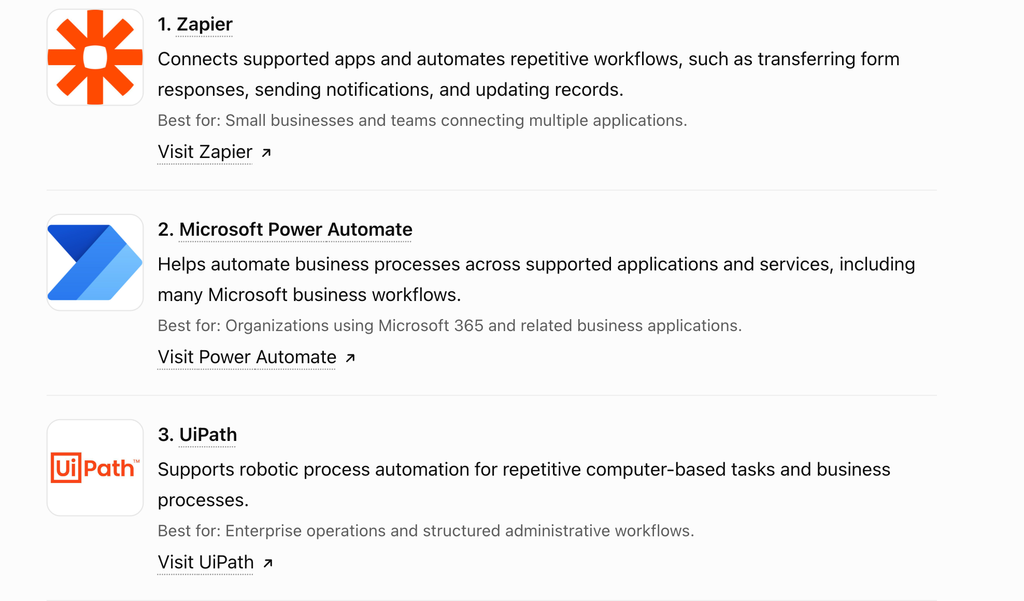
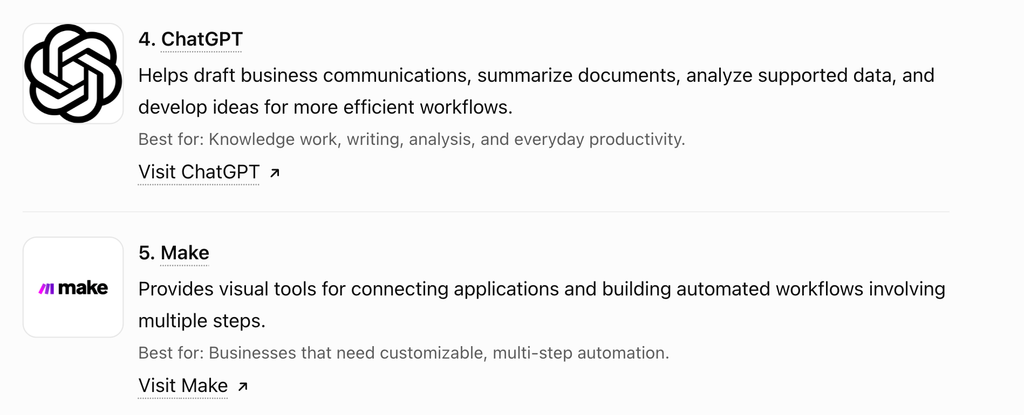
Pricing, AI capabilities, free-plan limits, and integrations vary by product and may change. Evaluate the current terms before selecting a platform.
How Much Time and Money Can AI Automation Save?
The potential savings depend on the process being automated, the volume of work, the quality of implementation, and the ongoing cost of the technology.
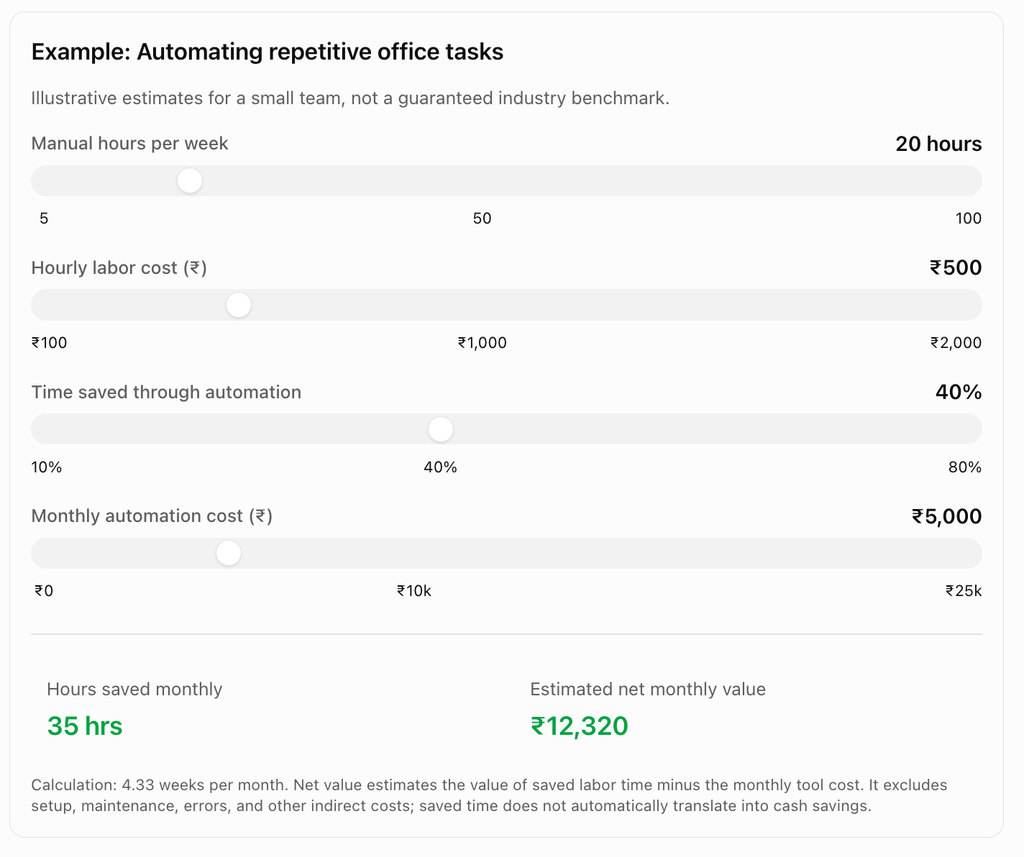
This example demonstrates why businesses should measure their existing processes before investing in automation. A task that consumes substantial staff time may offer a better return than one that happens only occasionally.
What Does Research Say About AI Automation in Companies?
AI adoption is increasing, but adoption alone does not guarantee significant financial returns.
According to McKinsey’s The State of AI in 2025 survey, 88% of respondents said their organizations regularly used AI in at least one business function. However, nearly two-thirds said their organizations had not yet begun scaling AI across the enterprise. Only 39% reported an impact on enterprise-level earnings before interest and taxes (EBIT).
The important lesson is that companies need more than AI software. They need well-designed workflows, reliable data, employee training, and clear ways to measure business outcomes.
Businesses are more likely to benefit when they redesign processes around the technology rather than simply adding an AI tool to an inefficient workflow.
Challenges of AI Automation
Despite its advantages, AI automation comes with risks that companies must manage.
1. Initial Implementation Costs
Software subscriptions, integration, employee training, and process redesign can require investment before savings appear.
2. Data Privacy and Security
AI systems may handle customer records, financial information, and confidential business documents. Companies should review vendor policies, access permissions, retention practices, and security controls.
3. Incorrect AI Outputs
AI can make mistakes, misunderstand requests, or produce inaccurate information. Important outputs should be checked, especially in finance, legal work, healthcare, and other high-impact settings.
4. Employee Training
Employees need to understand how to use AI tools and when to question their results. Training helps organizations adopt automation safely and effectively.
5. Over-Automation
Not every task should be automated. Sensitive decisions, unusual customer cases, and situations requiring empathy or expert judgment may need human involvement.
How Companies Can Start Using AI Automation
Businesses do not need to automate every department at once. A small, carefully selected project is often the best starting point.
- Identify repetitive tasks. Look for processes that consume significant time and follow predictable steps.
- Measure current performance. Record processing time, error rates, labor costs, and customer outcomes.
- Choose the right tool. Select software that integrates with existing systems and meets security requirements.
- Run a pilot project. Test the automation on a limited workload before expanding it.
- Keep human oversight. Require review or approval for important decisions and exceptions.
- Measure return on investment. Compare the results with the original process, including software, setup, and maintenance costs.
The Future of AI Automation
The next phase of business automation is likely to include more AI agents—systems that can plan and perform multiple connected steps toward a goal, within defined permissions.
For example, a business workflow might identify a customer request, retrieve relevant information, prepare a response, and route the result to an employee for approval.
Companies are exploring these systems in customer service, software development, IT support, research, and operations. However, reliability, security, governance, and integration remain important challenges.
In the coming years, organizations that combine useful AI capabilities with sound processes and skilled employees may be better positioned to improve efficiency and adapt to changing customer needs.
Conclusion
AI automation is helping companies rethink how everyday work gets done. By automating repetitive tasks in customer service, marketing, finance, HR, sales, and operations, businesses can reduce manual effort and give employees more time for higher-value activities.
However, successful automation requires more than choosing a popular AI tool. Companies must identify the right processes, protect their data, train employees, and measure real results.
The best approach is to start small, test carefully, and expand automation when the benefits are clear.
AI automation is not just about doing work faster. It is about helping businesses use their time, money, and people more effectively.