
Introduction to AI vs Manual Work
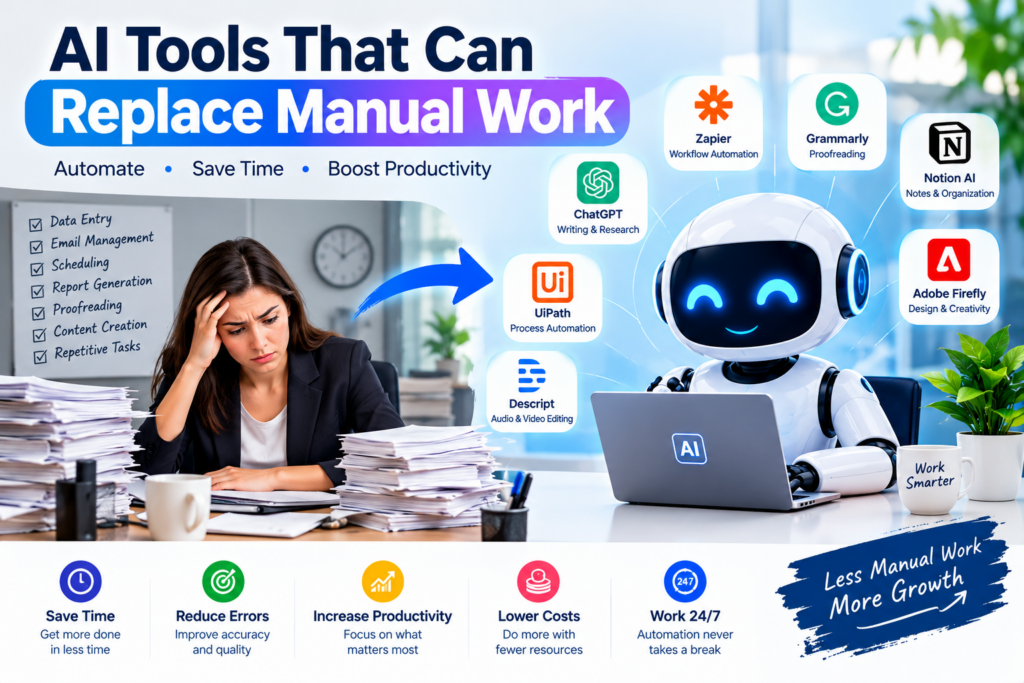
Manual work is still a major part of everyday business operations. Data entry, writing emails, creating reports, scheduling meetings, proofreading documents, processing invoices, and organizing information can consume hours every week.
Fortunately, AI tools are changing the way people work. Modern AI can automate repetitive processes, generate content, analyze information, organize tasks, and assist with customer service.
The goal isn’t necessarily to eliminate people from the workplace. Instead, AI can take over repetitive tasks so people can spend more time on creative thinking, strategy, decision-making, and problem-solving.
Table of Contents
Why Use AI to Replace Manual Work?
AI automation can provide several important benefits:
- Save Time: Automate repetitive tasks and complete work faster.
- Reduce Errors: Automated processes can reduce mistakes in routine operations.
- Increase Productivity: Employees can focus on higher-value responsibilities.
- Reduce Costs: Automation can reduce the amount of time spent on repetitive processes.
- Work 24/7: Many AI-powered systems can operate continuously.
- Improve Consistency: Automated workflows can follow the same process every time.
Top AI Tools That Can Replace Manual Work
1. ChatGPT — Writing, Research & Assistance
ChatGPT can help automate many knowledge-based tasks.
You can use it for:
- Writing emails
- Creating articles
- Summarizing documents
- Brainstorming ideas
- Research assistance
- Writing and explaining code
- Creating social media content
- Generating reports and outlines
Instead of starting every task from scratch, users can give AI instructions and then review and improve the output.
Best for: Writing, research, content creation, brainstorming, and everyday productivity.
2. Zapier — Workflow Automation
Zapier connects different applications and automates workflows.
For example:
New website form → Google Sheets → Email notification → CRM
This type of automation can eliminate repetitive copy-and-paste work.
Best for: Business workflows, lead management, data transfer, notifications, and repetitive administrative tasks.
3. Grammarly — Writing & Proofreading
Grammarly can automatically check writing for grammar, spelling, clarity, tone, and other issues.
Instead of manually checking every sentence, AI can identify potential problems while you write.
Best for: Emails, blogs, business documents, academic writing, and proofreading.
4. UiPath — Business Process Automation
UiPath focuses on robotic process automation and AI-powered business workflows.
Organizations can automate repetitive processes such as:
- Data processing
- Invoice handling
- Employee onboarding
- Report generation
- Data extraction
- Repetitive computer-based operations
Best for: Enterprise automation and repetitive business processes.
5. Notion AI — Notes, Documents & Organization
Notion combines workspace and AI capabilities to help users organize information.
It can assist with:
- Summarizing notes
- Creating documents
- Generating ideas
- Organizing information
- Creating task-related content
Best for: Documentation, project organization, notes, and knowledge management.
6. Descript — Audio & Video Editing
Descript uses AI to simplify audio and video editing.
Instead of spending hours manually editing recordings, creators can use AI-assisted transcription and editing features to speed up production.
Best for: YouTubers, podcasters, marketers, and content creators.
7. Adobe Firefly — Creative Design
Adobe Firefly can assist with image generation and creative editing.
AI can help reduce the time required for tasks such as:
- Creating visual concepts
- Generating images
- Editing graphics
- Creating design variations
- Developing marketing visuals
Best for: Designers, marketers, bloggers, and content creators.
Manual Work vs AI Automation
| Manual Work | AI-Powered Alternative |
|---|---|
| Writing repetitive emails | AI-generated email drafts |
| Data entry | Automated workflows |
| Proofreading | AI writing assistants |
| Meeting notes | AI transcription and summaries |
| Basic research | AI research assistance |
| Social media drafts | AI content generation |
| Video transcription | AI transcription |
| Repetitive reports | Automated report generation |
| Image creation | Generative AI |
| Task organization | AI productivity assistants |
Real-World Examples of AI Automation
Small Business
A business can use workflow automation to move customer information from an online form into a spreadsheet or CRM and automatically send a confirmation email.
Marketing
A marketing team can use AI to create initial blog outlines, social media captions, email drafts, and campaign ideas.
Human Resources
HR teams can automate repetitive parts of employee onboarding, document processing, scheduling, and information management.
Content Creation
YouTubers and bloggers can use AI for research assistance, writing drafts, transcription, image creation, and content repurposing.
Will AI Replace Jobs?
AI is more likely to change many jobs and tasks than simply replace every job.
Jobs often contain a mixture of repetitive and creative responsibilities. AI can handle some repetitive components while humans remain responsible for judgment, communication, creativity, leadership, and complex decision-making.
The most valuable approach is therefore to learn how to work with AI, rather than simply compete against it.
How to Start Automating Manual Work
You don’t need to automate your entire workflow immediately.
Start with these steps:
- Identify repetitive tasks you perform every day.
- Estimate how much time each task takes.
- Choose an AI or automation tool suited to that task.
- Create a simple workflow.
- Test the results carefully.
- Keep human review for important or sensitive work.
- Expand automation after the process works reliably.
Conclusion
AI tools are transforming manual work by automating repetitive tasks and helping people complete everyday work more efficiently.
From writing and proofreading to workflow automation, video editing, data processing, and content creation, AI can save significant time when used correctly.
The future of work isn’t simply about humans versus AI. It’s about humans using AI to work smarter.
Automate the repetitive work. Focus on the important work.



Pingback: Best Free AI Tools for Students, Creators & Businesses in 2026 - Techgrav