
Introduction: Best Free AI Video Generators in 2026
Artificial intelligence is transforming how people create videos. Whether you are a blogger, YouTuber, student, digital marketer, or business owner, AI-powered video tools can help you turn simple ideas into engaging visual content without requiring professional editing skills.
The best free AI video generators in 2026 make it easier to create short videos from text prompts, animate images, generate cinematic scenes, and produce promotional content. Some tools focus on realistic visuals, while others specialize in social media videos, AI avatars, and automated video editing.
The growing popularity of text-to-video AI technology means that users can describe a scene in ordinary language and let artificial intelligence generate the visuals. However, free plans often include restrictions such as limited credits, short video durations, watermarks, or lower export resolutions.
In this guide, we will explore popular AI video creation tools, their key features, their best use cases, and what to consider before choosing one.
Table of Contents
What is an AI Video Generator?
An AI video generator is a software tool that uses artificial intelligence to create or edit videos automatically. Depending on the platform, users can generate videos from written prompts, images, scripts, existing footage, or digital presenters.
For example, you could enter a prompt describing a futuristic city, a technology product demonstration, or a person working with an AI assistant. The tool then generates a video clip based on your instructions.
Most AI video generators support one or more of these features:
- Text-to-video: Generate video scenes from written descriptions.
- Image-to-video: Animate still images with movement and camera effects.
- AI avatars: Create presenter-style videos using digital people.
- Script-to-video: Convert written scripts or articles into video presentations.
- AI video editing: Add captions, remove backgrounds, adjust scenes, and improve existing videos.
These capabilities can help creators save time and experiment with new video formats without investing in expensive equipment.
Top 10 Best Free AI Video Generators in 2026
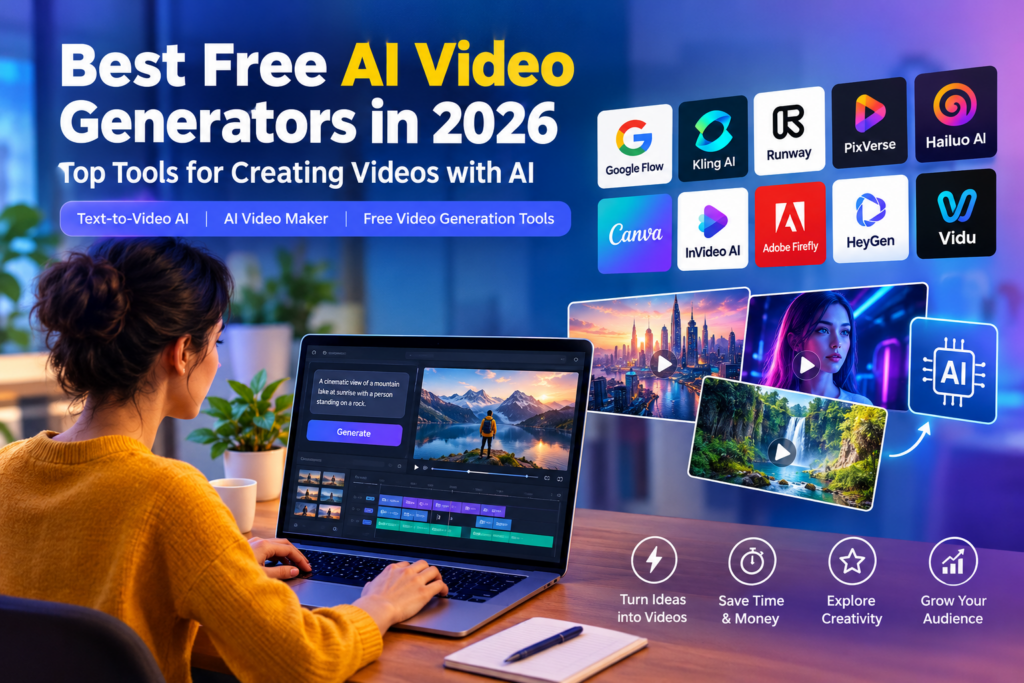
The following tools cover different needs, from generating cinematic clips to creating educational videos and marketing content. Free access varies by platform, and some tools offer only limited trial credits rather than unlimited generation.
1. Google Flow — Best for AI-Generated Video Scenes
Google Flow is an AI filmmaking tool designed to help users create cinematic scenes with Google’s video-generation technology.
Key features:
- Generate video scenes from text prompts and images.
- Explore cinematic camera movements and visual styles.
- Develop creative scenes for storytelling and concept videos.
- Build workflows around AI-generated visual content.
Best for: Creators who want cinematic AI-generated clips and visual storytelling.
Free plan: Free access and generation credits depend on the current Flow offering, available model, region, and account eligibility. Check the official terms before starting a project.
2. Kling AI — Best for Realistic Motion
Kling AI is a popular option for creating realistic AI-generated video clips. It can be useful for generating scenes featuring people, objects, landscapes, and movement.
Key features:
- Text-to-video generation.
- Image-to-video animation.
- Motion-focused scene creation.
- Creative control over generated visuals.
Best for: Short cinematic clips, product visuals, and realistic-looking scenes.
Free plan: Free credits or generation limits may apply. Check the current plan for watermark, resolution, and commercial-use restrictions.
3. Runway — Best for Creative Video Production
Runway provides AI-powered video-generation and editing tools for creators who want greater control over their visual projects.
Key features:
- AI-generated video clips.
- Image-to-video workflows.
- Creative video editing features.
- Tools for experimenting with cinematic visuals.
Best for: Filmmakers, designers, content creators, and advanced users.
Free plan: Free access may be limited to a one-time credit allocation or specific features. Review the current pricing page before relying on it for regular production.
4. PixVerse — Best for Social Media Videos
PixVerse is designed for generating visually engaging AI videos, including stylized scenes, animated characters, and creative effects.
Key features:
- Text-to-video and image-to-video generation.
- Stylized visual effects.
- Short-form video creation.
- Options for experimenting with different creative concepts.
Best for: Reels, Shorts, creative clips, and eye-catching social media content.
Free plan: Availability, credits, resolution, and watermark conditions can vary. Check the current free-tier details before exporting.
5. Hailuo AI — Best for Cinematic Clips
Hailuo AI, developed by MiniMax, is another option for generating short AI video scenes from text and images.
Key features:
- Text-to-video generation.
- Image animation.
- Cinematic scene creation.
- Visual content for storytelling and creative projects.
Best for: Short cinematic clips, concept videos, and visual storytelling.
Free plan: New users may receive limited credits or promotional access. Confirm expiration dates and export restrictions before creating a large project.
6. Canva — Best for Beginners
Canva is a beginner-friendly design platform that combines video editing, templates, and AI-powered creative features.
Key features:
- Ready-made video templates.
- Text, graphics, animations, and transitions.
- Social media video layouts.
- AI features available according to the plan.
Best for: Beginners, teachers, bloggers, and small businesses.
Free plan: Canva offers a free design plan, but access to particular AI video-generation features may be restricted or use separate allowances.
7. InVideo AI — Best for Script-to-Video Creation
InVideo AI helps users turn written prompts and scripts into structured videos. Depending on the available features, it can combine narration, visual footage, and editing elements.
Key features:
- Convert prompts into video drafts.
- Create videos around scripts and topics.
- Generate narrated content.
- Edit and customize scenes.
Best for: YouTube explainers, educational videos, and marketing presentations.
Free plan: Free usage may have limits on credits, exports, or watermarks. Check the current terms before publishing videos commercially.
8. Adobe Firefly — Best for Creative Workflows
Adobe Firefly provides generative AI features for creative content, including AI video capabilities where available. It can be useful for creators who want to combine generated footage with a broader design workflow.
Key features:
- Generative creative tools.
- Video-generation features where supported.
- Integration with creative workflows.
- Options for producing visual concepts and assets.
Best for: Designers, marketers, and creators who already use Adobe tools.
Free plan: Access to generative features may be limited by credits, account eligibility, or subscription level. Check the current video-generation allowance and usage terms.
9. HeyGen — Best for AI Avatar Videos
HeyGen specializes in presenter-style videos featuring AI avatars and synthetic voices. Instead of generating only cinematic scenes, it focuses on making people appear to deliver a script.
Key features:
- AI avatar presenters.
- Script-based video creation.
- AI voice and narration options.
- Multilingual video workflows, depending on the feature.
Best for: Tutorials, business presentations, product explainers, and training videos.
Free plan: Free access is generally limited by the current plan’s video or usage allowance. Verify export restrictions and commercial rights before publishing.
10. Vidu — Best for Animated and Creative Scenes
Vidu is an AI video-generation platform that supports creative video workflows using text, images, and reference-based inputs where available.
Key features:
- Text-to-video generation.
- Image-to-video creation.
- Reference-guided visual generation.
- Short clips for creative projects.
Best for: Social media content, animation experiments, and visual storytelling.
Free plan: Credit availability and export restrictions may change. Check the current account-specific offer before beginning a project.
Comparison of the Best Free AI Video Generators
| Tool | Best use case | Main strength |
|---|---|---|
| Google Flow | Cinematic scenes | AI filmmaking |
| Kling AI | Realistic clips | Motion generation |
| Runway | Creative production | Generation and editing |
| PixVerse | Social media | Creative effects |
| Hailuo AI | Short cinematic videos | Visual storytelling |
| Canva | Beginner projects | Templates and editing |
| InVideo AI | Script-to-video | Automated video creation |
| Adobe Firefly | Creative workflows | Generative design tools |
| HeyGen | Presenter videos | AI avatars |
| Vidu | Creative scenes | Text and image generation |
Note: This is a use-case comparison, not a guaranteed quality ranking. Free credits, available models, video length, watermarks, and commercial-use terms can change.
How to Choose the Best Free AI Video Maker
Choosing the right AI video maker depends on the kind of content you want to produce.
1. Identify Your Video Type
First, decide whether you need cinematic clips, animated images, educational explainers, promotional videos, or talking-avatar presentations.
A tool designed for realistic motion may not be the best option for turning a complete blog post into a narrated video.
2. Check Free Credits and Limits
Some platforms provide recurring credits, while others offer only a limited starter allowance. Check whether credits renew daily or monthly, whether unused credits expire, and how much each generation costs.
3. Check Watermarks and Video Quality
A free tool may generate impressive footage but restrict resolution or add a visible watermark. Before investing time in a project, generate a sample and confirm the export quality.
4. Review Commercial-Use Rights
If you plan to use videos on a monetized YouTube channel, a business website, or a client’s social media account, read the relevant terms carefully. Free access does not automatically mean unrestricted commercial rights.
5. Consider Editing and Export Options
Video generation is only one part of the workflow. You may also need subtitles, background music, voiceovers, transitions, aspect-ratio controls, and downloadable files.
Choose a tool that supports the final format you need, such as vertical 9:16 videos for Reels and Shorts or horizontal 16:9 videos for YouTube.
How to Create a Video Using Text-to-Video AI
Creating a video with text-to-video AI is straightforward for most beginner-friendly platforms.
- Choose a tool: Select an AI video generator that offers the features you need.
- Write a detailed prompt: Describe the subject, setting, action, lighting, camera movement, and visual style.
- Select the settings: Choose the available duration, aspect ratio, and quality.
- Generate the video: Submit your prompt and wait for the platform to process it.
- Review the result: Check movement, visual consistency, framing, and unwanted artifacts.
- Edit the clip: Add captions, narration, music, or transitions if needed.
- Export and publish: Confirm the usage rights and export restrictions before uploading.
Example AI Video Prompt
“Create a cinematic 8-second video of a futuristic technology workspace where a human content creator collaborates with a glowing AI assistant. Show realistic movement, modern computer displays, soft blue and purple lighting, smooth camera motion, professional composition, and high visual detail. Do not include text, logos, or watermarks.”
You can adapt this prompt for technology blogs, educational explainers, advertisements, and social media content.
Benefits of Free Video Generation Tools
Free video generation tools can make video production more accessible to individuals and small businesses.
Save time: AI can generate initial video scenes much faster than producing every shot manually.
Reduce production costs: Beginners can experiment without immediately purchasing expensive editing software or equipment.
Create more content: Bloggers and social media creators can turn ideas into short videos for different platforms.
Experiment with creativity: Text and image prompts make it easier to explore different scenes, styles, and concepts.
Support marketing: Businesses can use AI-assisted workflows to develop product concepts, explainers, and promotional drafts, subject to the tool’s licensing terms.
However, AI-generated content may contain unnatural movements, inconsistent objects, or visual errors. Human review and editing remain important.
Frequently Asked Questions (FAQs)
1. What is the best free AI video generator in 2026?
The best choice depends on your needs. Google Flow and Kling AI are worth exploring for generated scenes, Canva for template-based videos, InVideo AI for script-driven workflows, and HeyGen for presenter-style videos. Compare their current free allowances before deciding.
2. Can I generate videos from text for free?
Yes. Some platforms offer free credits or limited text-to-video access. The number of clips you can create, their length, and their resolution depend on the platform and current plan.
3. Are free AI video generators watermark-free?
Not always. Some services add watermarks to free exports, while others apply restrictions based on the model or subscription. Generate a test clip and check the export terms before starting a larger project.
4. Can I use AI-generated videos on YouTube?
Potentially, yes, but you should check the tool’s licensing conditions and YouTube’s applicable content-disclosure and monetization policies. Commercial permission from a tool does not guarantee that a video will qualify for monetization.
5. Which AI video maker is best for beginners?
Canva is a useful starting point for template-based editing. InVideo AI can help with script-driven content, while text-to-video tools such as Google Flow and Kling AI are suitable for experimenting with generated scenes.
6. Are free AI video generators suitable for businesses?
They can be useful for drafts, social media clips, product concepts, and internal presentations. Before using them in paid campaigns, verify commercial rights, privacy terms, branding restrictions, and export quality.
Conclusion
The best free AI video generators in 2026 offer different ways to create video content without building every scene manually. Tools such as Google Flow, Kling AI, Runway, PixVerse, and Hailuo AI focus on generating visual scenes, while Canva and InVideo AI help with more structured video creation. HeyGen is a useful alternative for presenter-style content.
For the best results, start with a small project, test the available free credits, and compare the generated output with your requirements. Pay close attention to watermarks, resolution, export restrictions, and commercial-use terms.
Whether you are creating YouTube Shorts, educational explainers, or technology content for your blog, the right combination of text-to-video AI, an effective AI video maker, and practical editing tools can help you produce more engaging videos while keeping your initial costs low.


One gap in a lot of free-tier lists is a multi-model tool. Text to Video covers Kling, Veo, Sora, Runway and similar models and is worth adding to free-tier comparisons.